








Description
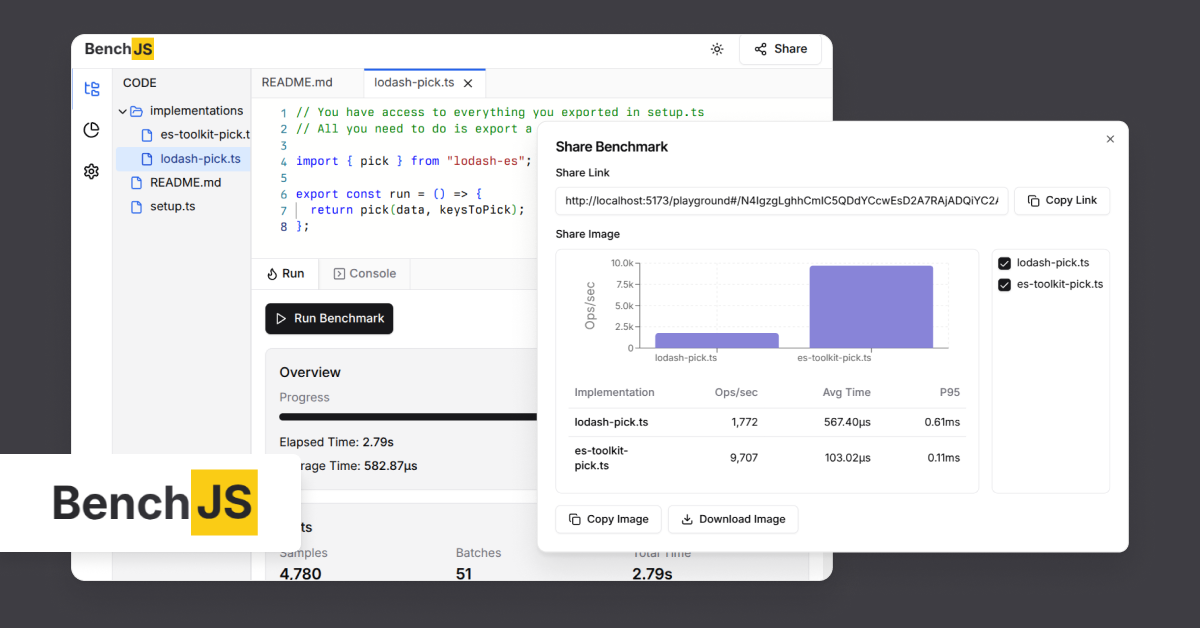
BenchJS is a browser tool for writing, running, comparing and sharing JavaScript benchmarks. You write a setup file and one or more implementations in JavaScript or TypeScript, run them in the browser with the same setup, and get results for each: elapsed time, throughput in operations per second, sample count and margin of error. The site shows an example comparing a for loop, a for...of loop and reduce on an array sum. You can share the benchmark by copying a link, or export the comparison as an image. External packages can be added through esm.sh and imported in your setup or implementation files, and the site lists examples such as lodash-es, date-fns and es-toolkit. Benchmarks run in the browser without an account or local install. The source code and issue tracker are public on GitHub, under the 3rd account. It suits developers who want to check which way of writing a loop or function is faster without setting up a benchmark harness locally.…
Highlights
- Write and run JavaScript or TypeScript benchmarks
- Compare implementations side by side
- Throughput, samples and margin of error
- Share a link or export an image
- Packages from esm.sh
Ratings & Reviews
No ratings yet
Be the first to rate BenchJS.
People also visit

microbenchmarking
Activate this skill when BenchmarkDotNet (BDN) is involved in the task
BenchJS FAQ
What is BenchJS?
A browser tool for writing, running, comparing and sharing JavaScript and TypeScript benchmarks.
Do I need an account?
No. The site says no account or install is required.
Can I use npm packages?
You can add packages through esm.sh and import them in your setup or implementation files.
Is it open source?
Yes. The source code and issue tracker are public on GitHub.
What are the best BenchJS alternatives?
Popular alternatives to BenchJS include WebPerf Snippets, Web Performance Research and Speedscope. See all BenchJS alternatives