








Description
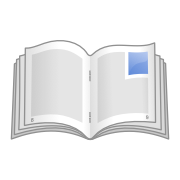
BookletCreator turns a PDF document into a booklet you can print, fold and bind. It reorders the pages so that when you print on both sides and fold the sheets, the pages come out in reading order. The site walks through the process with an example of an eight-page document, and says the app works with documents of any size. If your document is in another format, you export it to PDF first. Then you load the PDF, let the app reorder the pages, and print it using the double-sided option on your printer. The tool is simple and does one job. It is available for Mac and Windows, and the site offers a free download with an option to buy. The site has a page that explains how the process works, a version history and an email address for support. It suits anyone who wants a printed booklet from a PDF.…
Preview
Highlights
- Reorders PDF pages for a booklet
- Works with documents of any size
- Print double-sided and fold
- Available for Mac and Windows
- Free download
Ratings & Reviews
No ratings yet
Be the first to rate BookletCreator.
People also visit
BookletCreator FAQ
What does BookletCreator do?
It reorders the pages of a PDF so that, after you print on both sides and fold the sheets, the pages are in the right order for a small book.
What file format do I need?
The app works with PDF. If your document is in another format, the site says to export it to PDF first.
How do I print the booklet?
Print the reordered document with your printer's double-sided option, then fold the sheets and assemble them. The site shows the steps with an eight-page example.
Which computers does it run on?
It is available for Mac and Windows. The site offers a free download, and a paid option is available on the Buy page.
What are the best BookletCreator alternatives?
Popular alternatives to BookletCreator include Every PDF, AirDoc.Pro and BreezyPdf. See all BookletCreator alternatives