












Description
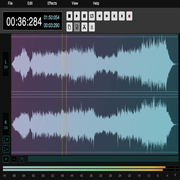
Cjam is non-destructive MP3 editing software for Windows PCs. You import files by dragging and dropping them onto the interface, then cut, join, fade and add silent gaps to them, and export the result with the settings you choose. The site says edits run without decoding and re-encoding the audio, which keeps them fast. Operations can be written as text commands, so several independent actions can run one after another, and the software can also play MP3 files and save your settings. Besides MP3, it reads CUE and M3U files and several of its own formats. The current version is 2.7.5.0, and the main download includes the .NET 8 runtime, so no extra software is needed. Framework-dependent builds for .NET 8 and .NET 6 are offered as smaller alternatives. The site has a manual, screenshots, a forum and a license page, and it supports Windows 10 or later.…
Highlights
- Cut, join, fade and add silent gaps to MP3 files
- Edits without re-encoding the audio
- Text commands to chain several actions
- Plays MP3 files and saves your settings
- Windows 10 or later, with the .NET 8 runtime bundled
Ratings & Reviews
No ratings yet
Be the first to rate Cjam Website.
People also visit
Cjam Website FAQ
What is Cjam?
Non-destructive MP3 editing software for Windows. You can cut, join, fade and add silence to MP3 files.
Does it re-encode my audio?
No. The site says it edits without decoding and re-encoding the audio.
Which systems and formats are supported?
Windows 10 or later. It supports MP3, CUE and M3U files, plus Cjam's own formats, such as CJAMC and CJAMJ.
Do I need to install .NET?
Not with the main download, which includes the .NET 8 runtime. The framework-dependent versions for .NET 8 and .NET 6 are smaller but need the matching runtime installed.