
CleanupAssistant
Lock keyboard and trackpad to safely clean your Mac without accidental inputs
Paid



















Description
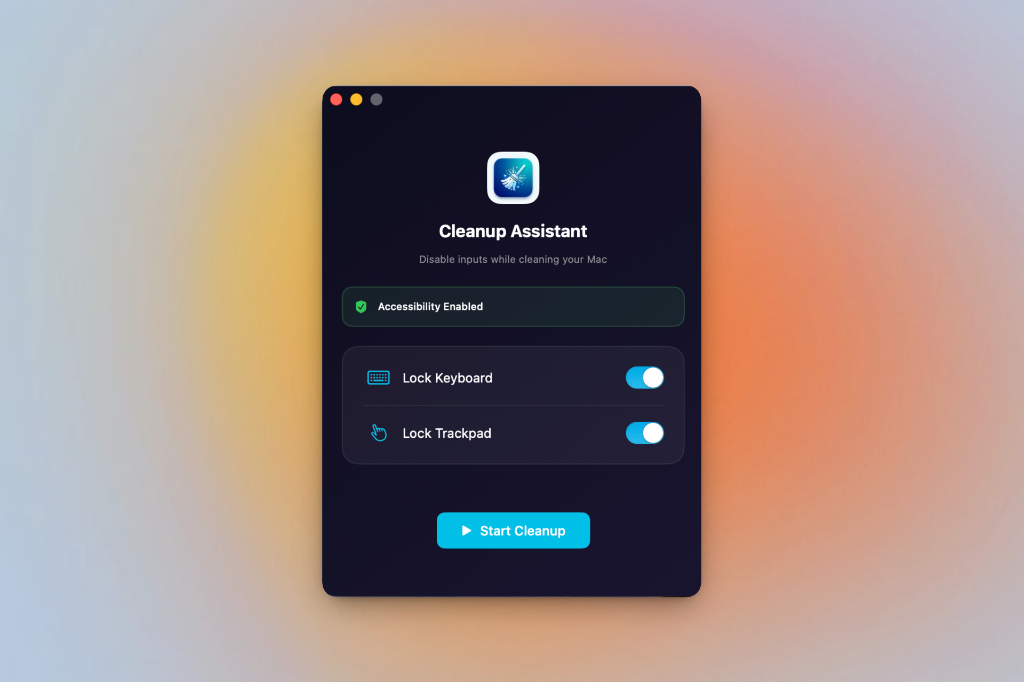
🧹 Clean Your Mac Worry-Free. Ever accidentally sent an embarrassing email or deleted files while wiping down your keyboard? Cleanup Assistant solves that. ✨ What It Does. Lock Keyboard - Disable all keyboard input instantly. Lock Trackpad - Freeze your cursor and disable mouse/trackpad. Smart Unlock - Hold both ⌘ keys for 3 seconds to unlock (visual countdown included). 🎯 Perfect For.…
Preview
Information
People also visit
Apps people often open alongside CleanupAssistant.
CleanupAssistant FAQ
What is CleanupAssistant?
🧹 Clean Your Mac Worry-Free. Ever accidentally sent an embarrassing email or deleted files while wiping down your keyboard? Cleanup Assistant solves that. ✨ What It Does. Lock Keyboard - Disable all keyboard input instantly. Lock Trackpad - Freeze your cursor and disable mouse/trackpad. Smart Unlock - Hold both ⌘ keys for 3 seconds to unlock (visual countdown included). 🎯 Perfect For.
Is CleanupAssistant free?
No. CleanupAssistant is a paid app.
Do I need to download CleanupAssistant?
No. CleanupAssistant runs in your browser at karankiri.com, so there's nothing to install.
What are the best CleanupAssistant alternatives?
Popular alternatives to CleanupAssistant include SimplyDiskSweeper, Unfumble and Talanoa. See all CleanupAssistant alternatives