














Description
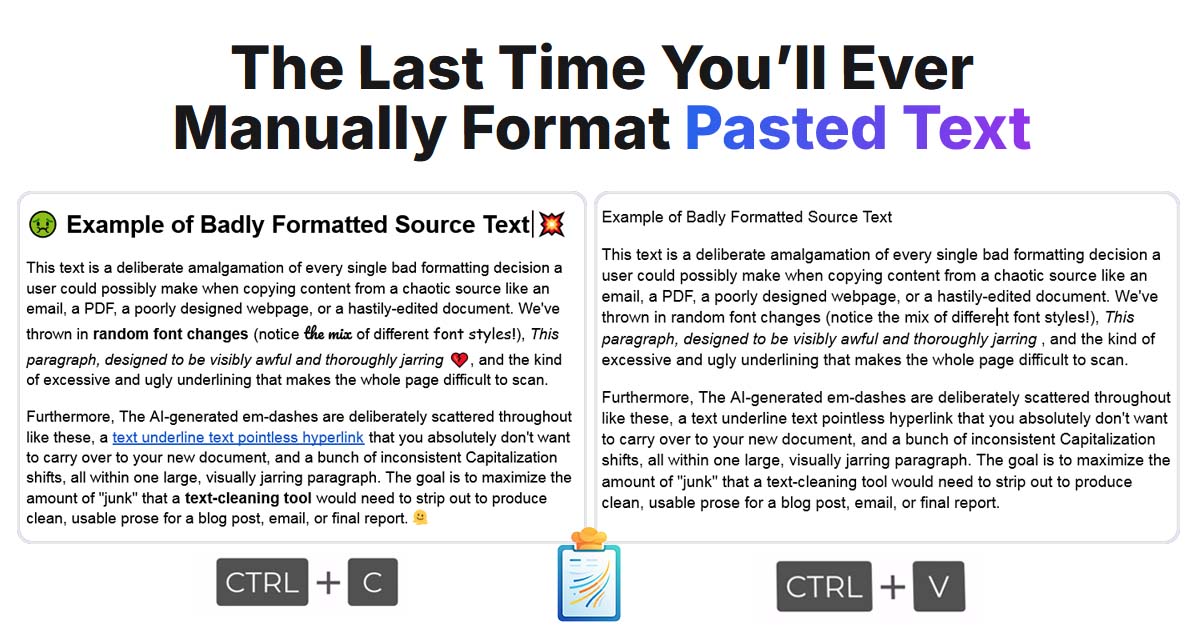
CustomPaste is a Windows utility that changes how clipboard text is pasted. You set up reusable recipes that clean, format and transform text automatically as you paste it. For example, a recipe can strip hidden formatting, enforce a preferred font, or keep bold text and hyperlinks while removing everything else. A quick menu, opened from any app by hotkey or mouse, lets you run any saved recipe on the fly. The site says your data stays on your own computer and that text is processed locally. It targets people who regularly copy text from websites, PDFs and emails, and then spend time fixing the formatting by hand. A free trial can be downloaded from the site, and a lifetime license is offered for purchase. The site includes short videos showing the recipes in use.…
Highlights
- Recipes that clean and format pasted text
- Quick menu opened by hotkey or mouse
- Keep or strip formatting, and enforce a font
- Text processed locally on your computer
- Free trial and a lifetime license
Ratings & Reviews
No ratings yet
Be the first to rate CustomPaste.
People also visit
CustomPaste FAQ
What is CustomPaste?
A Windows utility that cleans, formats and transforms clipboard text as you paste it, using recipes you create.
What is a recipe?
A saved set of rules for how pasted text should be changed. You can apply it automatically when you paste, or from the quick menu.
Does it send my text to the cloud?
No. The site says your data stays on your own computer and that processing happens locally.
Is there a free version?
There is a free trial you can download from the site. A lifetime license is also offered for purchase.
Which platforms does it support?
The site describes CustomPaste as a Windows utility.
What are the best CustomPaste alternatives?
Popular alternatives to CustomPaste include QuickClip, Deckuse and Jupitrr AI. See all CustomPaste alternatives