







Description
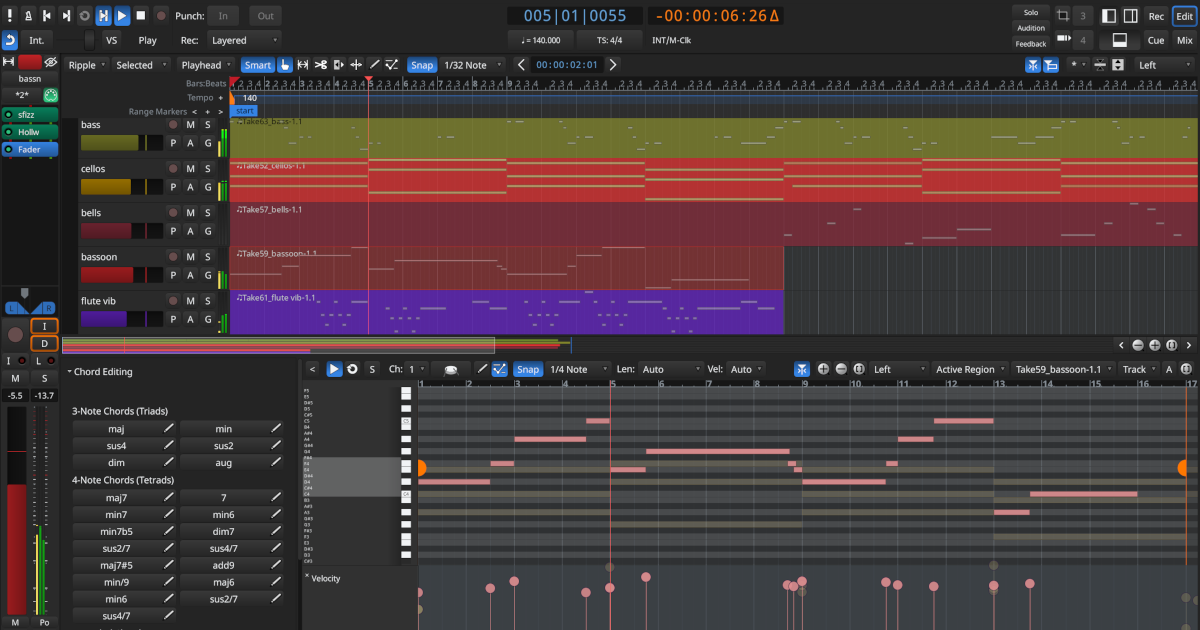
LMMS is a free, open source digital audio workstation for making music on Windows, Linux and macOS. You compose songs with beats and patterns, play instruments from a typing or MIDI keyboard, and arrange and mix tracks in one interface. It has a piano roll editor for notes, chords and melodies, a beat and bassline editor for combining instrument tracks, and track-based automation. The app includes built-in synthesizers and effects, a range of presets and samples, and support for VST instruments, including 32-bit VST plugins on 64-bit Windows through a bridge. You can import MIDI files and Hydrogen projects. The project is community-driven and hosted on GitHub. The site also has a sharing platform where people post their creations, plus competitions, documentation and a forum. It is made for musicians who want a full studio on their own computer.…
Highlights
- Compose with beats, patterns and a piano roll
- Built-in synthesizers, effects and samples
- VST instrument support
- Import MIDI and Hydrogen project files
Ratings & Reviews
No ratings yet
Be the first to rate LMMS.
People also visit
LMMS FAQ
What is LMMS?
A digital audio workstation for making, arranging and mixing music on your computer.
Is LMMS free?
Yes. The site describes it as free and open source, and the code is hosted on GitHub.
Which platforms does it run on?
Linux, Windows and macOS, according to the site.
Can I use VST plugins?
Yes. It supports 64-bit VST instruments, and on 64-bit Windows it can run 32-bit VST plugins through a bridge.
What are the best LMMS alternatives?
Popular alternatives to LMMS include Audacity, openDAW and Stargate. See all LMMS alternatives