L






















#193in Developer Tools
–In stores
Description
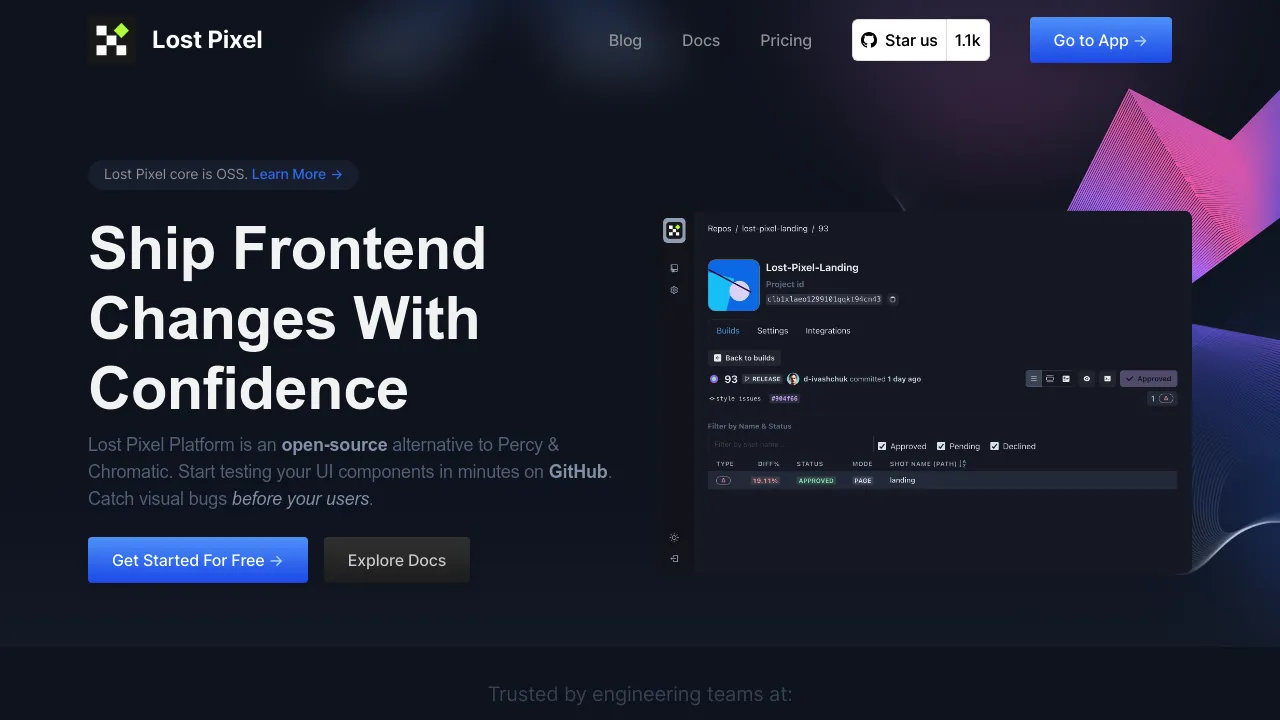
Automated visual testing tool that detects UI changes, ensures consistency, and accelerates development workflows.
Preview
Highlights
- First-class GitHub integration
- Composition with Storybook & Playwright
- Mask & threshold controls
- Multi-browser & breakpoint support
- Parallel execution
- Approval flow & flakiness handling
People also visit
Apps people often open alongside Lost Pixel.
Lost Pixel FAQ
What is Lost Pixel?
Automated visual testing tool that detects UI changes, ensures consistency, and accelerates development workflows.
Is Lost Pixel free?
Yes. Lost Pixel is free to use.
Do I need to download Lost Pixel?
No. Lost Pixel runs in your browser at lost-pixel.com, so there's nothing to install.
What can you do with Lost Pixel?
Main features: First-class GitHub integration, Composition with Storybook & Playwright, Mask & threshold controls, Multi-browser & breakpoint support, Parallel execution.
What are the best Lost Pixel alternatives?
Popular alternatives to Lost Pixel include Argos, Abby and appsmith. See all Lost Pixel alternatives