











Description
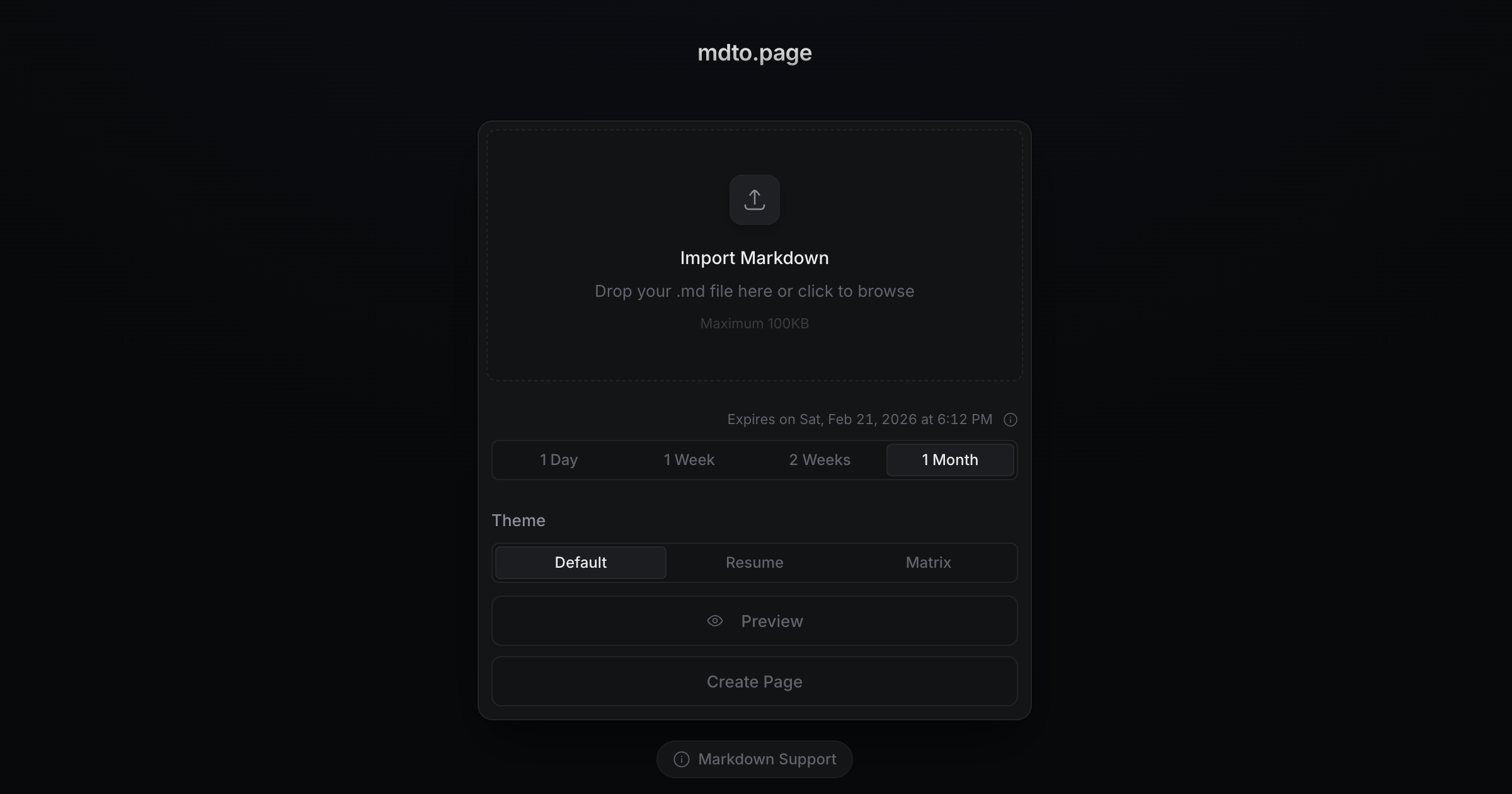
mdto.page is a web tool that turns a Markdown file into a clean, shareable HTML page or a PDF, without needing an account. You drop in a .md file or paste Markdown with Ctrl+V (up to 100 KB), pick a theme such as Default, Resume or GitHub, preview it, and then create a page with its own link or export a PDF. A recent addition lets you attach local images to your pages. When creating a page, you choose how long it stays online: one day, one week or one month without logging in, or indefinitely if you log in. Expired pages are removed periodically, so the exact deletion time can vary. The interface is available in English, Korean, Simplified Chinese and Japanese, and the site documents which Markdown syntax it supports. The source code is published on GitHub.…
Highlights
- Convert Markdown to a shareable HTML page
- Export Markdown to PDF
- Themes including Default, Resume and GitHub
- Attach local images
- Expiry options from one day to permanent
- No login needed for temporary pages
Ratings & Reviews
No ratings yet
Be the first to rate mdto.page.
People also visit

Docsify This
Turn your Markdown files into shareable web pages, embeddable content
mdto.page FAQ
What does mdto.page do?
It converts Markdown into a styled HTML page you can share by link, or into a PDF.
Do I need an account?
No for pages that expire after a day, a week or a month. Pages that never expire require logging in.
Is there a size limit?
Yes, imported Markdown can be up to 100KB.
Which themes are available?
Default, Resume and GitHub, among others.
Is the code available?
Yes, the project is on GitHub at hjinco/mdto.
What are the best mdto.page alternatives?
Popular alternatives to mdto.page include Markdown Toolbox, Markdown to Word Converter and Markdown to Word. See all mdto.page alternatives