













Description
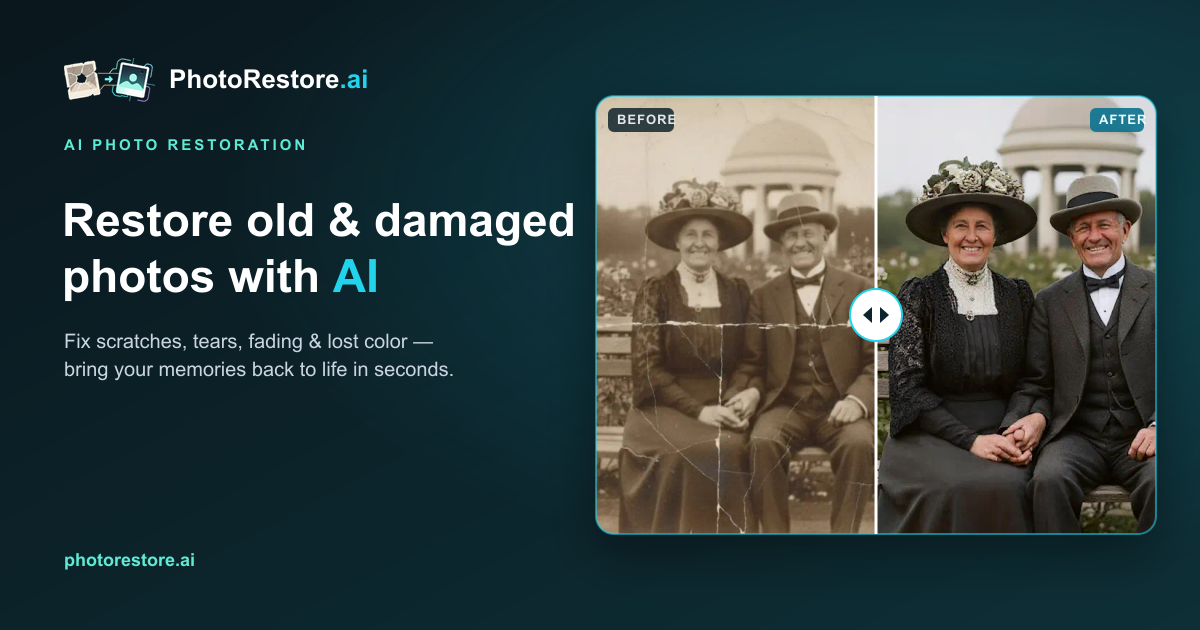
PhotoRestore.ai restores old, faded and damaged photos with AI in your browser. You upload a scan or photo in JPG, PNG, WEBP, HEIC, TIFF or BMP, and the AI repairs scratches, tears and creases, colorizes black and white pictures, sharpens details and enhances blurry faces. You then preview the restored image and download it in high definition. The site describes the restoration as natural, keeping film grain and period texture rather than an over-processed look, and its examples show black and white photos colorized and faces recovered. Each restoration uses one credit. Packs of 5, 30, 80 or 500 restorations are sold as one-time purchases, and the credits in the larger packs never expire, while the 5-photo pack is valid for 12 months. The site says a free trial needs no sign-up or credit card.…
Pricing
- Starter Pack$5 for 5 photos
- Archive Pack$186 for 500
Highlights
- Scratch, tear and crease repair
- Colorizes black and white photos
- Face enhancement and sharpening
- HD downloads
- Packs from 5 to 500 restorations
- Free trial with no sign-up
Ratings & Reviews
No ratings yet
Be the first to rate PhotoRestore.ai.
People also visit
PhotoRestore.ai FAQ
What is PhotoRestore.ai?
An online AI tool that restores old photos by repairing scratches, colorizing and enhancing faces in one pass.
Do I need an account?
No. The site says no sign-up or credit card is needed for the free trial.
How do credits work?
Each photo restoration uses 1 credit, whatever problems the photo has.
Will the result look fake?
The site says the model is calibrated to look like a well-preserved original. It keeps film grain and texture and avoids oversaturated colour.
Which file types can I upload?
JPG, PNG, WEBP, HEIC, TIFF and BMP, according to the upload box.
What are the best PhotoRestore.ai alternatives?
Popular alternatives to PhotoRestore.ai include RestoreBunny, ArtImageHub and Revivast. See all PhotoRestore.ai alternatives