Domain Rating
by Ahrefs



















Domain Rating by Ahrefs19
Description
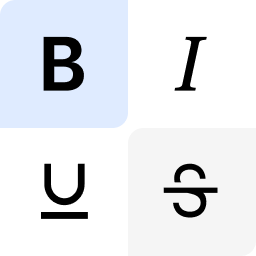
Post Formatter is a Chrome extension that adds bold, italic and other text styles to LinkedIn posts. LinkedIn does not show most formatting, so the extension converts the text you select into Unicode characters that look styled on LinkedIn, X, Facebook and other sites that accept plain text. A small toolbar appears in the LinkedIn editor when you select text, with buttons for bold, italic, strikethrough and more. The site lists more than 30 font styles, including script, fraktur, double-struck, small caps and monospace. A live preview shows how a post will look before you publish, including the first lines that LinkedIn cuts off behind the see-more link. The core extension is free. The Pro plan, which the site lists from $8 a month, adds AI proofreading and auto-styling, drafts, and the option to use your own API key so you choose the AI model. Text pasted from other sources keeps its formatting, according to the site.…
Preview
Pricing
- Profrom $8/mo
Highlights
- Bold, italic and 30+ Unicode font styles in the LinkedIn editor
- Live preview before you publish
- Works on X, Facebook and other plain-text fields
- Free core with a Pro plan
- AI proofreading on Pro
Ratings & Reviews
No ratings yet
Be the first to rate Post Formatter.
People also visit
Post Formatter FAQ
How do I bold text in a LinkedIn post?
Install the Chrome extension, select the text in the LinkedIn editor, and click Bold on the floating toolbar. The text is converted to Unicode bold characters that display as bold on LinkedIn.
Does it work on other platforms?
The site says the styled text works on X, Facebook, Threads and other places that accept plain text.
Which styles are available?
The site lists more than 30, including bold, italic, script, fraktur, double-struck, small caps, monospace and bubble text.
Is it free?
The core is free. Pro starts at $8 a month and adds AI proofreading, auto-styling and drafts.
What are the best Post Formatter alternatives?
Popular alternatives to Post Formatter include Alchie, RedactAI and MagicPost. See all Post Formatter alternatives