























Description
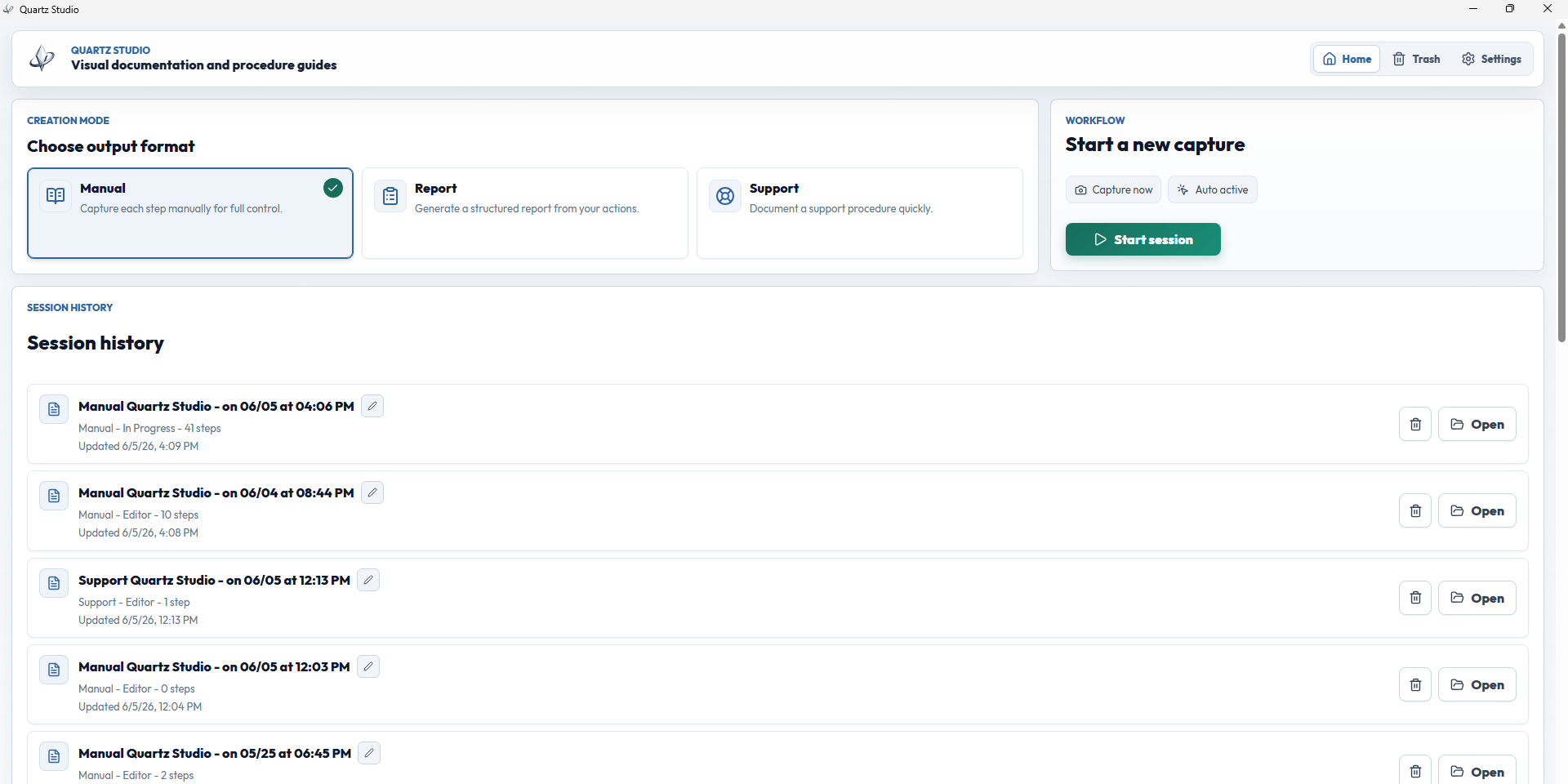
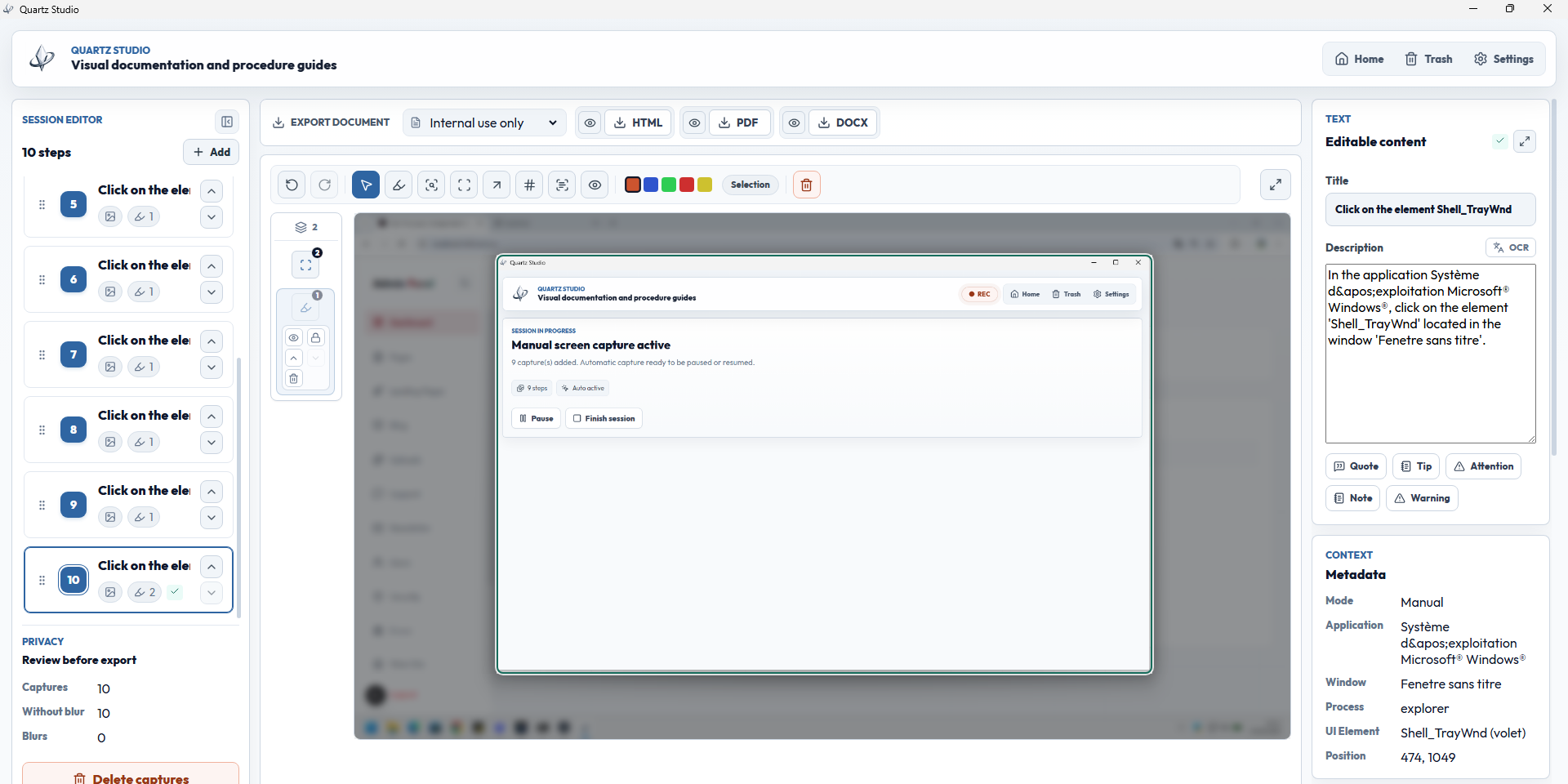
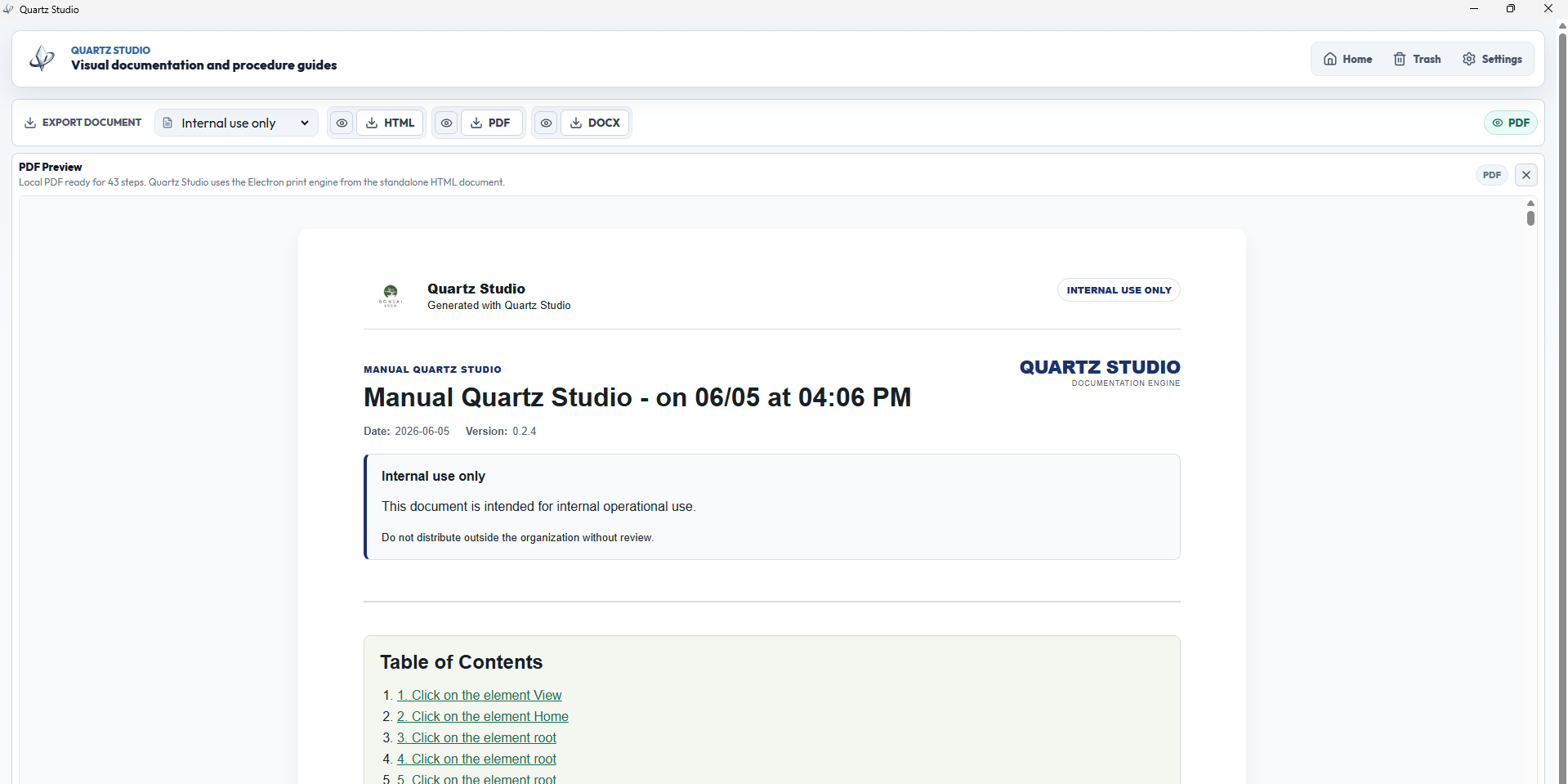
Quartz Studio is a local-first Windows app for creating visual documentation, support reports, incident evidence and technical manuals. Users can capture real desktop actions manually or through consent-based click capture, review screenshots, add annotations, blur sensitive information, extract text with local OCR, and export polished documents as HTML, PDF or DOCX.…
Preview
Highlights
- Manual capture and consent-based click capture
- Local zone-based OCR through Windows capabilities
- Sensitive-data review before export
- Screenshot annotations and visual highlights
- Sensitive-data blur before sharing
- HTML, PDF and DOCX exports
People also visit
Apps people often open alongside Quartz Studio.
Quartz Studio FAQ
What is Quartz Studio?
Quartz Studio is a local-first Windows app for creating visual documentation, support reports, incident evidence and technical manuals. Users can capture real desktop actions manually or through consent-based click capture, review screenshots, add annotations, blur sensitive information, extract text with local OCR, and export polished documents as HTML, PDF or DOCX.
Is Quartz Studio free?
No. Quartz Studio is a paid app.
Do I need to download Quartz Studio?
No. Quartz Studio runs in your browser at viciousse.com, so there's nothing to install.
What can you do with Quartz Studio?
Main features: Manual capture and consent-based click capture, Local zone-based OCR through Windows capabilities, Sensitive-data review before export, Screenshot annotations and visual highlights, Sensitive-data blur before sharing.
What are the best Quartz Studio alternatives?
Popular alternatives to Quartz Studio include KeepassXC, SearXNG and ShareX. See all Quartz Studio alternatives