







Description
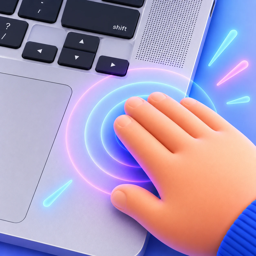
Shortap turns the sides of a MacBook into shortcut buttons. Tap the left or right side once, twice or three times and Shortap runs an action, such as taking a screenshot, copying, play and pause, the next track, toggling Wi-Fi or switching on the flashlight. It includes more than 50 built-in actions, and any shortcut from the Apple Shortcuts app can be assigned to a tap. The tap map has six slots, and each one can be customised by choosing a side, a tap count and an action. The site says it needs macOS 14 or later and lists MacBook Pro M1 Pro or newer and MacBook Air M2 or newer as supported models. It is aimed at people who want fast access to common Mac actions without reaching for the keyboard. Shortap is a one-time purchase starting at $5, with no subscription, and the site says you can use it forever after paying once.…
Highlights
- Tap the left or right side once, twice or three times
- More than 50 built-in actions
- Run any Apple Shortcut from a tap
- Six customisable tap slots
- One-time purchase from $5, with no subscription
Ratings & Reviews
No ratings yet
Be the first to rate Shortap.
People also visit

Quick Apps Launcher
Quick App Launcher Open your favorite Mac apps instantly Quick App Launcher
Shortap FAQ
What is Shortap?
A macOS app that runs actions when you tap the side of your MacBook, such as taking a screenshot or skipping a track.
Which Macs are supported?
The site says it needs macOS 14 or later, and lists MacBook Pro M1 Pro or newer and MacBook Air M2 or newer.
How much does it cost?
It is a one-time payment starting at $5 with no subscription. The site says you can use it forever after paying once.
Can I run my own shortcuts?
Yes. Any shortcut from the Apple Shortcuts app can be assigned to a tap.
What are the best Shortap alternatives?
Popular alternatives to Shortap include ICanHazShortcut, Actions and Quick Apps Launcher. See all Shortap alternatives