













Description
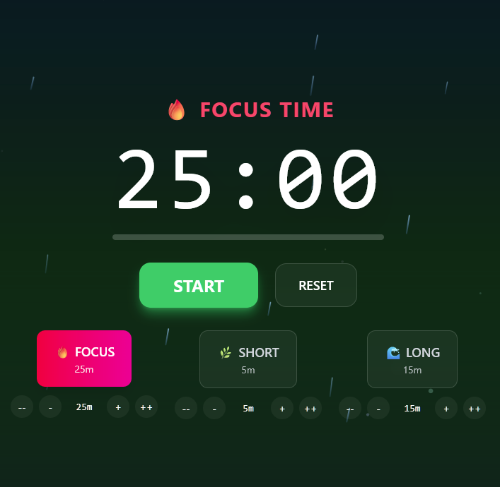
Tomodoro is a Pomodoro timer that runs in the browser. It has a clean interface, tasks with statistics, white noise, themes, and works offline once loaded. Focus time can be assigned to a task, and the app builds statistics from those sessions. All data is saved in your browser, so the project recommends taking regular backups, and the settings include backup and restore options. Its Always On Top mode uses Picture-in-Picture: the timer is drawn on a canvas, the canvas stream is shown in a video element, and that video is put in Picture-in-Picture. On desktop Firefox the video only becomes visible, and on Android browsers without Picture-in-Picture support you make the video fullscreen and then go to the home screen. The author notes that Safari has not been tested. The app uses Material Icons, and the code is released under the MIT license. The to-do list on the project page includes making the code cleaner and adding custom theming.…
Highlights
- Pomodoro timer with tasks and statistics
- Always On Top mode using Picture-in-Picture
- White noise generator
- Themes and a clean interface
- Works offline and saves data in the browser
Ratings & Reviews
No ratings yet
Be the first to rate Tomodoro.
People also visit

Focus Timer
Pomodoro is a smart focus timer built for the way you actually work and study
Tomodoro FAQ
Where is my data saved?
In your browser. The project recommends taking frequent backups, and the settings include backup and restore.
Does it work offline?
Yes, according to the feature list.
How does Always On Top work?
It draws the timer on a canvas, streams it into a video element, and requests Picture-in-Picture. Support differs by browser, and the page explains the steps for Firefox and Android.
What license is it under?
MIT.
What are the best Tomodoro alternatives?
Popular alternatives to Tomodoro include Priospace, Pomodoro Timer Online and Pomatez. See all Tomodoro alternatives