










Description
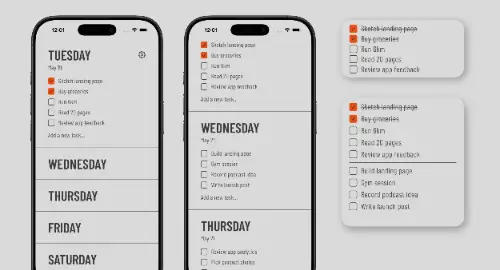
Tweek is a minimal to-do list and weekly planner for personal use and for sharing tasks with a team or family. It opens on a weekly view, with month and day views available, and syncs with Google, Outlook and Apple calendars. With Apple Reminders you can add tasks by voice through Siri, and you can search your tasks by swiping down. Tasks can carry colour sets, files, photos and subtasks, and you can set recurring tasks on daily, weekly, monthly, yearly or custom schedules. Reminders arrive by push notification, email or both. Unfinished tasks roll over to the next day, so nothing is lost. Themes range from plain white to cold blue. You can use Tweek on the web, iPhone, iPad, Android and Mac, and share task sets by link, even with people outside the app. The free version has one active calendar. Premium unlocks calendar sync, subtasks, reminders and recurring tasks, for $5.99 a month or $49.99 a year for one person, or $9.99 a month or $89.99 a year for a family of up to five.…
Preview
Pricing
- Individual$5.99/month
- Family$9.99/month
Highlights
- Weekly planner with month and day views
- Sync with Google, Outlook and Apple calendars
- Recurring tasks and reminders
- Share task sets by link
- Apps for web, iPhone, iPad, Android and Mac
Ratings & Reviews
No ratings yet
Be the first to rate Tweek.
People also visit
Tweek FAQ
Is Tweek free?
There is a free version with one active calendar. Premium unlocks calendar sync, subtasks, reminders and recurring tasks.
Can I share my calendar and tasks?
Yes. The site says you can share calendars and task lists with friends, family or teammates, and add tasks, reminders, notes and checklists for them.
Can I print the weekly template?
Yes. The site has a printable weekly to-do template you can print and fill in like a paper planner.
Which devices does it run on?
The web, iPhone, iPad, Android and Mac.
What are the best Tweek alternatives?
Popular alternatives to Tweek include Weektodo, Tally and Weekleo. See all Tweek alternatives