Skip to content
Obsidian

Open source alternatives to Obsidian

200 open source apps like Obsidian, closest match first.

Top picks

  1. T

    Trilium

    Launch

    Trilium Notes is an open-source app for note-taking and building a personal knowledge base. You can use it locally on your desktop, with no account needed and no need for a server, or sync it with a self-hosted server to keep the same notes

    FreeOpen sourceSelf-hosted

  2. N

    Notesnook

    Launch

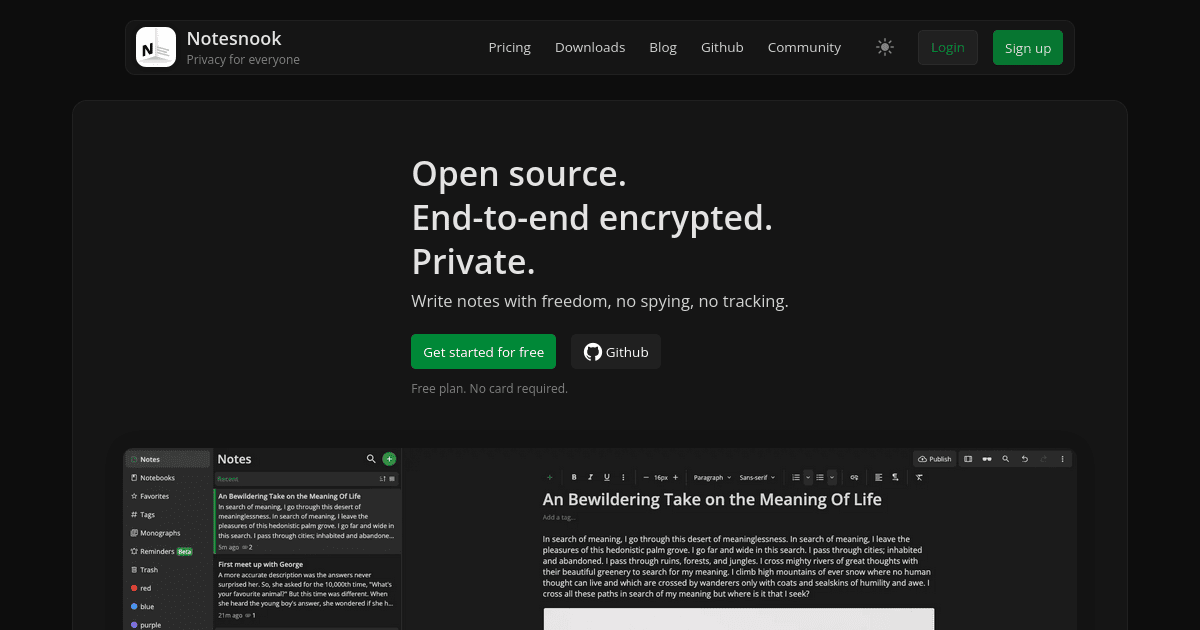
    Notesnook is an open-source, zero-knowledge note-taking app. Your notes are end-to-end encrypted before they leave your device, so the company and anyone else cannot read them, and it says there is no spying and no tracking. The app runs on

    Open source

  3. J

    Joplin

    Launch

    Joplin is a free, open-source note-taking app that runs on Windows, macOS, Linux, Android and iOS, and it has a terminal app too. Notes can include Markdown or rich text, images, videos, PDFs, audio files, math expressions and diagrams. On

    Open source

  4. N

    NoteGen

    Launch

    NoteGen is an open-source, local-first note-taking app for Markdown, with AI that helps turn scattered records into structured notes. You capture first and organize later: write text, record voice, add images and source material without dec

    FreeOpen source

  5. G

    GitJournal

    Launch

    GitJournal is a mobile-first note-taking app that keeps your notes as plain Markdown files in a Git repository. It syncs over standard SSH, so it works with any Git hosting provider, and the notes can be opened in desktop tools such as Obsi

    Open source

  6. O

    Owlistic

    Launch

    Owlistic is an open-source app for notes and todo lists, with real-time sync. You organize notes in notebooks and a notes tree, write them in a rich WYSIWYG editor, and add inline todo items to any note. Real-time sync keeps your notes up t

    FreeOpen sourceSelf-hosted

More like Obsidian

7
S

Simple Notes Sync

Minimalist offline note-taking app with automatic Wi-Fi synchronisation

Launch
8
V

VNote

Open-source Markdown note-taking app with a polished editor

Launch
9
S

Stik App

Instant thought capture for macOS. One shortcut, post-it appears, type, close

Launch
10
S

Scratch

Lightweight, offline-first markdown notes app

Launch
11
L

Lumina-Note

Lumina Note - A modern Markdown note-taking app

Launch
12
G

gamosoft/NoteDiscovery

Self-hosted Markdown knowledge base

Get
13
R

Reflect Open

Open-source Reflect rewrite: A local-first AI agent-friendly Markdown

Launch
14
B

Bangle IO

A web only WYSIWYG note taking app that saves notes locally in markdown format

Launch
15
N

Notty

An open source, minimal AI powered note taking app and powerful markdown editor

Launch
16
C

Crossnote App

📝 Local-first markdown notebook - notes live in your browser or local…

Launch
17
S

Standard Notes

A free, open-source, and completely encrypted notes app

Launch
18
Z

ZenNotes

Keyboard-first Markdown note-taking

Launch
19
Q

QOwnNotes

Open-source notepad with markdown support and todo list manager

Launch
20
F

Freenote

Freenote is an open-source AI journal app with Markdown support

Launch
21
M

memrynote

Your personal OS for thought

Launch
22
E

EdgeEver

Open-source, AI-native knowledge base & Evernote alternative with native MCP

Launch
23
L

Lumen

A free, open-source note-taking app that syncs

Launch
24
N

NoteDiscovery

Markdown note-taking app with plain-file storage, graph view

Launch
25
Z

Zen

Minimal note-taking app storing Markdown notes in local SQLite database

Launch
26
I

itsnotes

A self-hosted, open-source note-taking app

Launch
27
J

Joplin Plugin Jarvis

Joplin (note-taking) assistant running a very intelligent system

Launch
28
O

OpenNotas

OpenNotas is a multi-platform, end-to-end encrypted note-taking app

Launch
29
N

Neutrinote

The original Markdown + Math note app

Launch
30
L

Logseq

A privacy-first alternative to WorkFlowy

Launch
31
E

Emanote

Emanate a structured view of your plain-text notes

Launch
32
O

OpenWiki

Mac desktop AI knowledge management tool

Launch
33
K

Kuku

Local-first Markdown workspace for macOS with AI edits and backlinks

Launch
34
L

Lore

Summon it with a keystroke, throw in anything you want to remember or ask…

Launch
35
T

TriliumNext Notes

Cross-platform hierarchical note taking application

Launch
36
T

Trilium Notes

Hierarchical note-taking for personal knowledge bases

Launch
37
S

sudonotes

Markdown notebook for AI prompts & ideas

Launch
38
O

Octo

A local-first knowledge management app

Launch
39
T

Trilium.cc

Personal knowledge base

Launch
40
D

Darkwrite

A customizable, offline-first note editor

Launch
41
N

Neuron

A local-first Markdown and MDX knowledge workspace

Launch
42
A

Agent Second Brain

An always-on second brain you talk to

Launch
43
A

Alexandrie

The open-source, offline-first Notion, Obsidian & Confluence alternative

Launch
44
F

Foam

A personal knowledge management and sharing system for VSCode

Launch
45
B

Blinko

The next generation of open-source AI-powered card notes designed

Launch
46
R

Reflect

Capture ideas, connect notes, and keep your files in Markdown

Launch
47
M

Mininote

A simple, self-hosted, encrypted Markdown note-taking editor

Launch
48
Z

ZK

A plain text note-taking assistant

Launch
49
P

PrivacyNotes.app

End-to-end encrypted notes, tasks, files, passwords, journal and bookmarks

Launch
50
N

Notes

Fast and beautiful note-taking app written in C++. Write down your thoughts

Launch

About Obsidian

O

Obsidian

Sharpen your thinking

Obsidian is a note-taking and knowledge management app built on plain Markdown files stored on your device. It has bidirectional linking, a graph view that shows how notes connect, and a large ecosystem of community plugins. Because your notes are local files, you keep full ownership of them. The app is free to use without limits, and no sign-up is needed. Optional add-on services help you sync notes across devices with end-to-end encryption, version history and shared vaults, and publish notes to the web with a customizable theme and search. Sync costs $4 per user a month billed annually, or $5 billed monthly, and Publish costs $8 per site a month billed annually, or $10 billed monthly. A one-time Catalyst licence of $25 supports development and unlocks early beta access. Obsidian is available for Windows and other platforms, and it has a web clipper, a help center, a roadmap and a Discord community.

Price
Freemium
Category
AI
Website
obsidian.md