
Domain Rating
by Ahrefs











Domain Rating by Ahrefs65
Description
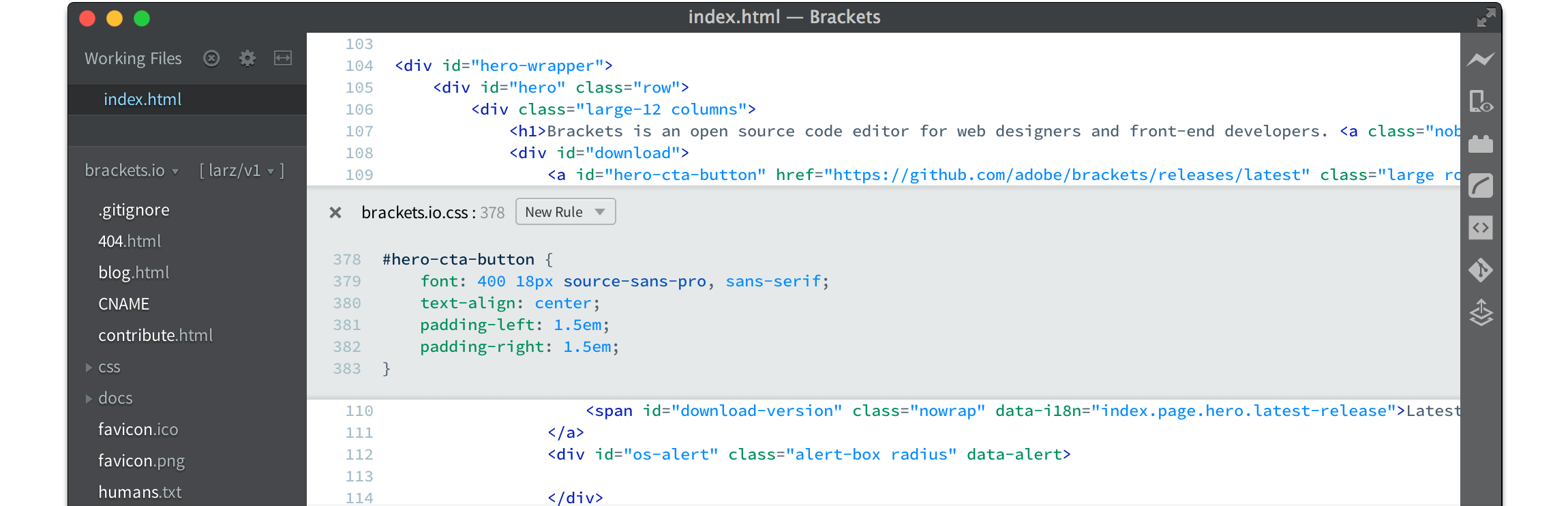
Phoenix Code is a free, open-source code editor for websites, web apps and Markdown, and the successor to Brackets. You write HTML, CSS and JavaScript with live preview while you code, markdown live preview, code intelligence, fast search, an integrated Git client and a built-in terminal, and you can add extensions and themes. The community edition is free for all uses, commercial and personal. Phoenix Pro adds visual editing: you can edit text, change images and tweak layout directly in the live preview, use a styles bar to change fonts, colours, spacing and layout for a selected element, and use a rich Markdown editor. Pro's visual AI is powered by Claude Code and sees the rendered page as well as the source; you bring your own Claude login or API key, and your code stays on your machine. Pro costs $11 a month, or $108 billed annually. A 7-day free trial starts when you install the editor, with no account, purchase or card. Students, teachers and educational institutions can use most Pro features for free. Downloads are available for Windows, Mac on Apple Silicon and Intel, Linux and Chrome OS, and there is a web editor.…
Pricing
- CommunityFree
- Phoenix Pro monthly$11/mo
- Phoenix Pro yearly$108/year
Highlights
- Live preview and markdown preview while you code
- Integrated Git and a built-in terminal
- Free for all uses, commercial and personal
- Pro: edit text, images and layout in the live preview
- Pro: visual AI powered by Claude Code
Ratings & Reviews
No ratings yet
Be the first to rate Phoenix.
People also visit

MacDown
Open source Markdown editor for macOS with live preview and HTML/PDF export
Phoenix FAQ
What is Phoenix Code?
A free, open-source code editor for websites, web apps and Markdown. It is the successor to Brackets.
Is it free?
The Community Edition is free forever for all uses, commercial and personal.
What does Phoenix Pro add?
Visual editing in the live preview, a styles bar for fonts, colours, spacing and layout, a rich Markdown editor, element layout inspection and visual AI with Claude Code.
How much does Pro cost?
$11 a month, or $108 billed annually. A 7-day free trial starts when you install, with no card required.
Which platforms are supported?
Windows x64, Mac on Apple Silicon and Intel, Linux x64 and Chrome OS, plus a web editor.
Does the AI need my API key?
You bring your own Claude login or key for the Pro AI features. The site says your code stays local.
Can students get it for free?
Yes. Students, teachers and educational institutions can use most Phoenix Pro features for free.
What are the best Phoenix alternatives?
Popular alternatives to Phoenix include Brackets, Athas and MacDown. See all Phoenix alternatives