













Description
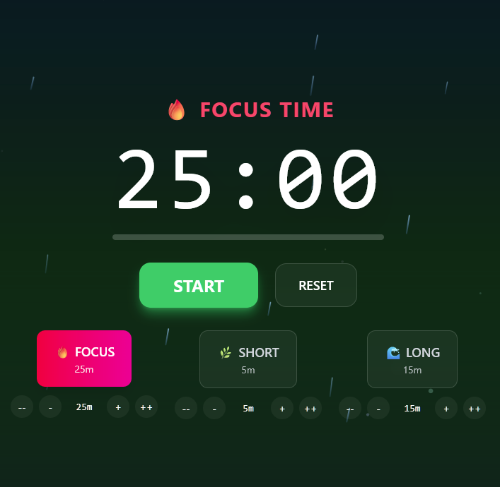
Pomoplant is a customizable Pomodoro timer for Windows. The Pomodoro technique breaks work into focused intervals followed by short breaks, and the page lists the benefits as better focus, clearer time management, fewer moments of burnout and a more refreshed return to work. You set session durations, break times and other options so each session fits your own rhythm. A task list lets you add, manage and check off to-dos during focus time. You can choose from a range of theme palettes to change how the app looks. A plant grows the more you focus, giving you a visual record of your productivity. The page offers a download of the Windows desktop app and a feedback option. The source code is on GitHub under rinakin/pomoplant, and the page links to background reading on the Pomodoro technique.…
Highlights
- Pomodoro timer with custom session and break times
- Built-in task list for focus sessions
- Theme palettes and a plant that grows as you focus
- Windows desktop app
Ratings & Reviews
No ratings yet
Be the first to rate Pomoplant.
People also visit

FocusTide
Modern and customizable productivity timer app that runs in your browser
Pomoplant FAQ
What is Pomoplant?
A customizable Pomodoro timer that shows your focus as a plant that grows during sessions.
Which platform is it for?
The page offers a download of the Windows desktop app.
Can I customize the timer?
Yes. You can set session durations, break times and more, and choose from theme palettes.
Does it include tasks?
Yes. You can add, manage and check off to-dos during your focus time.
What are the best Pomoplant alternatives?
Popular alternatives to Pomoplant include PomoPlanner, Pomodoro Planner and FocusPlus. See all Pomoplant alternatives