














.png?auto=compress&fit=max&w=128)





.png1696259195870?auto=compress&fit=max&w=128)
Description
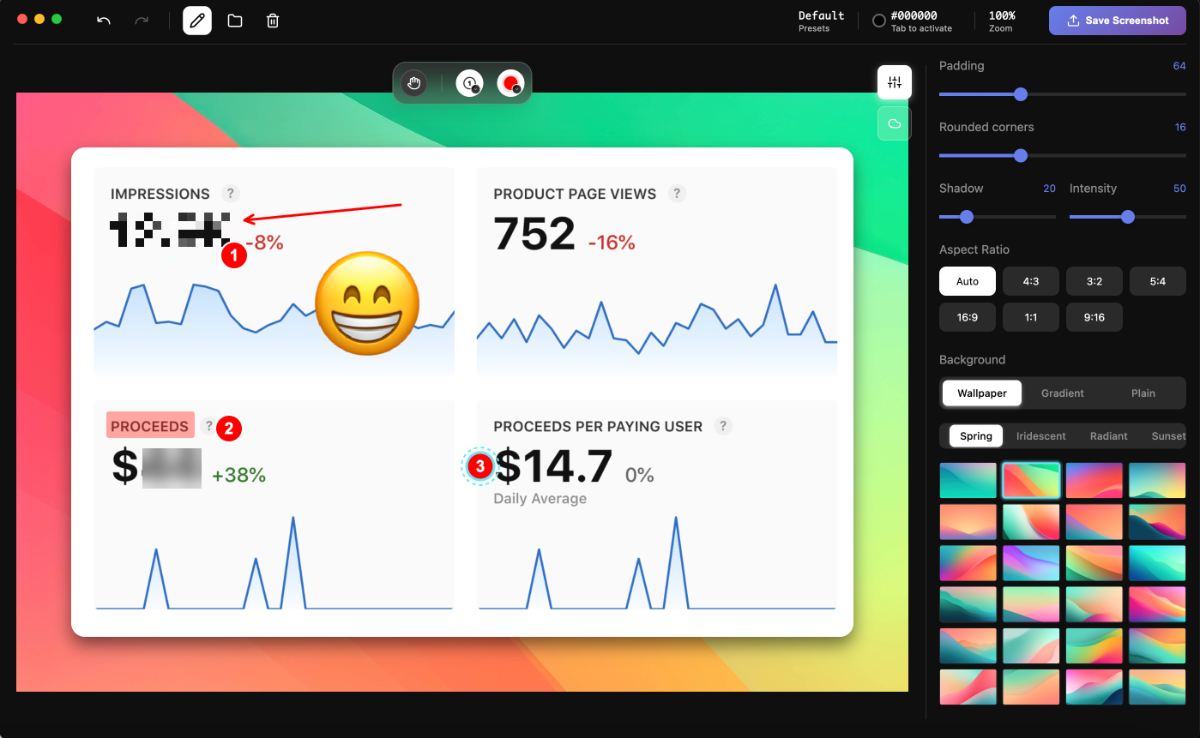
Rich Annotation Tools. 15 tools in total for enhancing your captures: arrows, shapes, text, blur, pixelate, highlighter, emojis, and even counters ideal for walkthroughs, tutorials, and presentations. Beautiful Gradient Backgrounds. Choose from 150+ professionally designed wallpapers backgrounds to give your screenshots a polished and captivating look. Cloud Upload & Sharing.…
Preview
Information
People also visit
Apps people often open alongside ScreenSnap Pro.
ScreenSnap Pro FAQ
What is ScreenSnap Pro?
Rich Annotation Tools. 15 tools in total for enhancing your captures: arrows, shapes, text, blur, pixelate, highlighter, emojis, and even counters ideal for walkthroughs, tutorials, and presentations. Beautiful Gradient Backgrounds. Choose from 150+ professionally designed wallpapers backgrounds to give your screenshots a polished and captivating look. Cloud Upload & Sharing.
Is ScreenSnap Pro free?
No. ScreenSnap Pro is a paid app.
Do I need to download ScreenSnap Pro?
No. ScreenSnap Pro runs in your browser at screensnap.pro, so there's nothing to install.
What are the best ScreenSnap Pro alternatives?
Popular alternatives to ScreenSnap Pro include Plasmic, Webstudio and Recut. See all ScreenSnap Pro alternatives