Skip to content
Spatial

Alternatives to Spatial

200 apps like Spatial, closest match first.

Top picks

  1. S

    Spatial Media Toolkit

    Launch

    Spatial Media Toolkit converts ordinary photos and videos into 3D for Apple Vision Pro, Meta Quest and other headsets. On iPhone and iPad it estimates depth in each frame and builds a separate view for each eye, producing spatial photos and

  2. C

    CosmiCut

    Launch

    Edit spatial videos seamlessly across iPhone, iPad, Mac, and Apple Vision Pro — and even preview the 3D effect without a headset. Built from the ground-up for Apple platforms in SwiftUI. • Edit non-destructively. Your original clips are nev

  3. A

    AetherEngine

    Launch

    Media player engine for iOS, tvOS, macOS and visionOS. FFmpeg demux, VideoToolbox / dav1d / libavcodec decode (HEVC, H.264, AV1, VP9, MPEG-2, VC-1), live TV with DVR timeshift and hardware deinterlace, Dolby Atmos passthrough, HDR10 / HDR10

    Open source

  4. S

    Spatial 3D Media Converter

    Launch

    Spatial 3D Media Converter turns your 2D photos and videos into immersive spatial and stereoscopic 3D media using on-device AI depth estimation. Processing stays on your iPhone, iPad, Mac, or Apple Vision Pro — no cloud upload for conversio

  5. K

    KSPlayer

    Launch

    A video player for iOS、macOS、tvOS、visionOS , based on AVPlayer and FFmpeg, support HLG、HDR10、 HDR10+、Dolby Vision、Dolby Atmos、Text/Image subtitle.

    Open source

  6. V

    Video Converter

    Launch

    Introducing Video Converter for macOS, the missing conversion app. Now optimized for Apple Silicon! Drag in your video file, select an output format and we'll handle the rest! Our smart-detection algorithms will be able to analyze and ident

More like Spatial

7
L

Live Photo Conv

A cross-platform tool to process live photos

Launch
8
F

FFmpeg Commander

A web-based GUI for quickly generating common FFmpeg command-line operations

Launch
9
H

HEVCut

Shrink videos and photos, find duplicates, sweep screenshots, split long videos

Launch
10
G

Gifski

Convert videos to high-quality GIFs on your Mac

Launch
11
L

LTX Video Mac

Native macOS app for local AI video on Apple Silicon

Launch
12
S

Shortcast

Native macOS app: drop a long video → auto-cut viral shorts

Launch
13
V

VideoSplitr split long videos

Take full control of your videos

Launch
14
A

avkit

Create media playback experiences using AVKit

Get
15
I

iRecord

Lightweight screen recording and video editor for MacOS

Launch
16
M

Moviego

A Go video editing toolkit for scripted media composition, FFmpeg export

Launch
17
N

Nimagna

Turn webcam video into multi-camera presentations

Launch
18
F

ffWorks

High-end and professional frontend for FFmpeg

Launch
19
D

Depthify.ai

Convert videos into 3D spatial videos

Launch
20
A

App

VTuber Camera, macOS app that shows your avatar

Launch
21
L

Live-Video-Magnification

Real‑time Eulerian video magnification: amplify subtle motion & color
Launch
22
R

RxFilmStudio

Your film studio, in one window

Launch
23
O

Ooosplat

A local desktop app that turns videos

Launch
24
S

StoicPlayer

The HDR video player for Mac, with colour mastered

Launch
25
V

Videomaker Helper

Simplify your video editing workflow with Python

Launch
26
J

Just Spatial

Just Spatial is a tool designed to enhance your experience

Launch
27
F

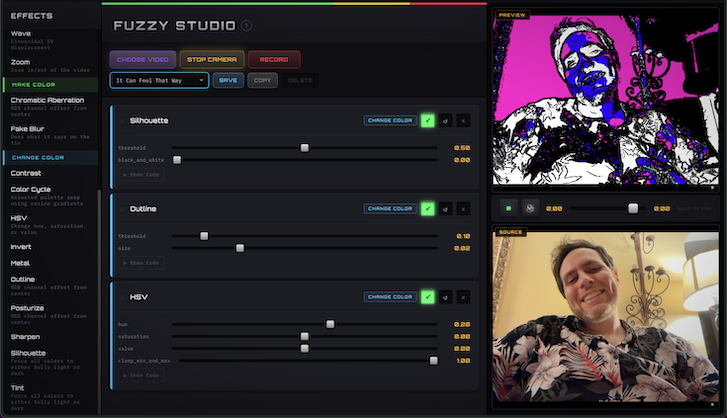
Fuzzy Studio

Apply stunning real-time shader effects to your videos

Launch
28
F

ffmpeg-master

Complete FFmpeg expertise system with comprehensive coverage of FFmpeg 8.0.1

Get
29
V

Video Frame Extractor

Video Frame Extractor for iOS lets you capture images

Launch
30
F

FlowVision

Waterfall-style image viewer

Launch
31
Y

YUView

The Free and Open Source Cross Platform YUV Viewer

Launch
32
V

Video2Frame

Video2Frame is a cross-platform video frame extraction tool app supporting

Launch
33
S

Smooth Capture

Create polished app demo videos in minutes

Launch
34
C

Craftor Lift

Convert presentation decks into motion-design project assets

Launch
35
P

PlexCleaner

Utility to optimize media files for Direct Play in Plex, Emby, Jellyfin, etc

Launch
36
P

Picmal: Your Mac's media toolkit

Convert, compress, and edit images, video, audio, and PDFs on your Mac

Launch
37
V

VideoHelp

Platform that offers tools and guides for creating, editing

Launch
38
M

MotionClone

Rebuild a reference video as an editable HyperFrames project

Launch
39
A

Aerial

Apple TV Aerial screensaver

Launch
40
A

Android Video Trimmer

Helps to trim local videos with compress option on Android applications

Launch
41
B

Blackhole Spliter

Split long videos to smaller videos for social media apps

Launch
42
V

VideoSpeedConversionTool

VideoSpeedConversionTool by kooyoseb

Launch
43
O

Omniclip

Open source video editing web application

Launch
44
G

Gyroflow

Advanced gyro-based video stabilization tool for cinematography

Launch
45
T

ThumbHost3mf

A macOS app that hosts a thumbnail provider

Launch
46
8

8mb.local

Browser-based video compressor

Launch
47
F

Ffmpeg-webCLI

A browser-based video editor powered by ffmpeg.wasm

Launch
48
S

Slant it

Create catchy 3D product videos from screen recordings in few minutes

Launch
49
A

AvoMap

Create 3D videos of your adventures

Launch
50
S

Spark Camera

Make memorable videos

Launch

About Spatial

S

Spatial

Tool for working with MV-HEVC/spatial videos

Spatial is a free macOS command-line tool for processing MV-HEVC video and spatial photos, the formats produced by iPhone 15 Pro and 16 Pro and used by Apple Vision Pro. It can export MV-HEVC files to common stereoscopic formats, such as over/under, side-by-side, and separate left- and right-eye videos, which play in standard stereo players and video editors. It can also create MV-HEVC video from stereoscopic formats, so the result plays on Apple Vision Pro and Meta Quest. The tool has five commands: info shows spatial information for a video or photo and can probe for a spatial track, and export writes the stereo outputs. It uses Apple frameworks to encode and decode MV-HEVC, so it is Mac-only, and it requires macOS Sonoma 14.0 or later on an Apple silicon Mac, although the info and metadata commands also work on Intel Macs. You can install it with Homebrew using brew install spatial, or download a release zip that includes a sample file. The site also describes a graphical user interface. It is by Mike Swanson, and the source is on GitHub.

Price
Free
Category
Photo & Video
Website
mikeswanson.com