Skip to content
Z-Image

Open source alternatives to Z-Image

200 open source apps like Z-Image, closest match first.

Top picks

  1. Z

    Z Image AI All in One

    Launch

    Z-Image (available at https://zimage.top">Z Image AI ) is an open-source AI platform designed to transform text prompts into stunning, photorealistic images and videos in mere seconds. Powered by advanced 6 billion-parameter technology, Z-I

    FreeOpen source

  2. G

    glm-image

    Launch

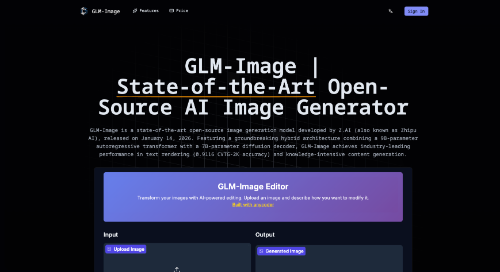
    GLM-Image is a state-of-the-art open-source image generation model by Z.AI (Zhipu AI). Features 9B autoregressive + 7B diffusion hybrid architecture with industry-leading text rendering (0.9116 CVTG-2K) and knowledge-intensive content gener

    FreeOpen source

  3. D

    DeFooocus

    Launch

    AI Image Generation That Actually Works. DeFooocus Online ( https://defooocus.online/ ) generates high-quality images from simple text prompts. No complex setup, no lengthy descriptions needed. Type what you want, get what you expect. Free

    FreeOpen source

  4. B

    Bulkai

    Launch

    AI image generation in bulk automatically

    FreeOpen source

  5. I

    Ima2 Gen

    Launch

    Local-first visual generation runtime and studio for people and coding agents, with reproducible image and video workflows across multiple providers.

    FreeOpen source

  6. S

    Scumble

    Launch

    Free, open-source desktop editor for AI inpainting: select, prompt, get a colour-matched layer. FLUX 3 Image, FLUX.2, GPT Image, Nano Banana, Seedream and Qwen through your API key or your own ComfyUI. Layers, PSD export, MCP.

    FreeOpen source

More like Z-Image

7
M

Mix-Studio

The cleanest, responsive AI workspace

Launch
8
M

MeiGen-AI-Design-MCP

Discover inspiration and create images and videos with the latest AI models

Launch
9
G

Gpt-image-2.5-for-e-commerce

GPT Image 2.5 for e-commerce: prompt cookbook for listing photos

Launch
10
E

ErnieImage

Beautifully Integrated Text. Flawless Creative Vision

Launch
11
T

TwitCanva-Video-Workflow

A next-generation AI-powered infinite canvas workspace built for creators

Launch
12
P

ProductFlow

gpt-image-2 画图工作台 / Self-hosted workbench for AI copy, posters, image sessions

Launch
13
C

Comfyui API

A simple API server to make ComfyUI easy to scale horizontally

Launch
14
U

UnderlayX AI

One Powerful Tool for Effortless Image Editing

Launch
15
I

Image Use

Use your ChatGPT subscription to generate images from the command line

Launch
16
I

icedit image Editing AI

ICEdit is a revolutionary AI-powered image editing tool base

Launch
17
W

Wunjo Community Edition (CE)

All-in-One AI Tools for Content Creation and Editing

Launch
18
P

PocketMen-with-you

Create high-fidelity Codex companions from 2+ photos

Launch
19
L

Loomic

Open-source AI canvas design agent — alternative to Lovart / CapCut Video…

Launch
20
C

ChatGPT-MidJourney-prompt

This is a ChatGPT based prompt generation model for MidJorney

Launch
21
S

Shotluma

Open-source, local-first AI App Store screenshot editor

Launch
22
O

Openai Chat API Workflow

An Alfred 5 Workflow for using OpenAI Chat API to interact

Launch
23
S

Shots

Claude Code/Agent Skill for making App Store screenshots with GPT Image 2

Launch
24
G

Gai

Generative-AI Tools For Beginner

Launch
25
M

Maestro

An all-in-one, 100% local AI video, image, and music studio

Launch
26
I

Imagor Studio

Self-hosted image gallery with layered editing

Launch
27
P

Photoflare

Quick, simple but powerful Cross Platform image editor

Launch
28
E

egaki

Generate images & videos in the terminal, for humans & agents

Launch
29
4

4o Ghibli At Home

The GPT-4o image generation we have at home

Launch
30
C

ComfyUI_Skills_OpenClaw

Agent-friendly ComfyUI workflow skills for OpenClaw, Hermes Agent, Codex
Launch
31
C

Comflowy

From ComfyUI Workflow to App

Launch
32
O

OpenCreative

Go from idea to complete campaign without juggling half a dozen AI tools

Launch
33
B

Bitmappery

Browser based non-destructive image editor

Launch
34
M

Midjourney Images Compose Multiplatform

This application is developed to display the images created by MidJourney

Launch
35
L

Locally Uncensored

The all-in-one local AI studio for your desktop: chat

Launch
36
A

Airunner

Offline inference engine for art, real-time voice conversations

Launch
37
M

Midjourney Proxy

The world's largest Midjourney drawing API

Launch
38
I

Image to Video AI - AI Video Generator

Transform Still Images into Living Stories

Launch
39
R

Refloow-Photo-Studio

Powerful local photo editor built for quick, professional results

Launch
40
C

Character Select Stand Alone App

Character Select Stand Alone App with AI prompt and ComfyUI/WebUI API support…

Launch
41
P

Photoshot

An open-source AI avatar generator web app - https://photoshot.app

Launch
42
I

Image Cockpit For Codex Workflows

Local cockpit for Codex imagegen, pixel art, image editing, animation

Launch
43
I

Icons

Generate macOS app icons using AI

Launch
44
O

Open Photo AI

An open source alternative to the popular photo AI editor

Launch
45
R

Ralphy

Open-source desktop app for content creation

Launch
46
D

DirectorsConsole

A web application for prompt generation and multiple ComfyUI remote

Launch
47
S

Stable Diffusion Online

Discover the potential of Stable Diffusion AI

Launch
48
W

Watermarks Remover

A privacy-first app that strips AI watermarks from content you own

Launch
49
S

Sdnext

SD.Next: All-in-one WebUI for AI generative image and video creation

Launch
50
A

AI Media Generator

Zero-skill cinema. Senior-director prompts on autopilot

Launch

About Z-Image

Z

Z-Image

Z-Image Editing and Generation by Alibaba Tongyi

Z-Image-Edit is a web platform for generating and editing images with the Z-Image model series from Alibaba's Tongyi team. It offers text-to-image and image-to-image modes, so you can create a picture from a prompt or start from an existing image. The prompt can be up to 5,000 characters, and the width and height of the output can be set from 64 to 2,048 pixels, in steps of 16, with a choice of output formats. The generator shows the credit cost before each run, and the default settings cost 5 credits. A gallery of showcase images shows the prompts behind them, and you can regenerate any of them with one click. New visitors get free credits on their first sign-in. Paid plans sell monthly credits that can be used on any model on the site, and the site lists commercial use and no watermark among the plan features. The site describes bilingual support.

Price
Paid
Category
AI
Website
z-image-edit.com