Skip to content
BugMark

Free alternatives to BugMark

200 free apps like BugMark, closest match first.

Top picks

  1. T

    TagBug

    Launch

    TagBug is a Chrome extension for reporting website bugs with the details engineers need. You record your screen or take an annotated screenshot of the problem, and TagBug attaches system information, JavaScript console logs and network requ

    Free

  2. R

    ReviseFlow

    Launch

    Visual bug reporting tool for web and mobile apps. Your users click anywhere on the site to capture annotated screenshots — console logs, network errors, and device info are auto-collected behind the scenes. No more "what browser are you on

    Free

  3. U

    Userplane

    Launch

    Userplane helps support teams request screen recordings that automatically capture logs, network activity, and user sessions—so they can quickly understand and resolve support issues faster. Request Screen Recordings from Customers : Elimin

    Free

  4. B

    blocFeed

    Launch

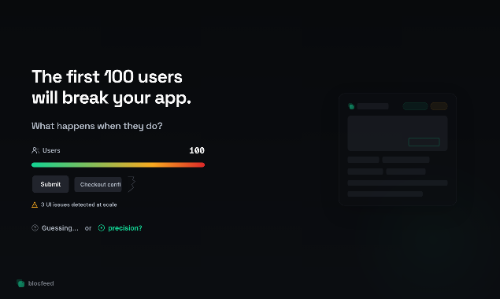
    blocFeed adds in-app bug reporting to a web app with one npm package. Your users click the part of the interface that is broken, describe what went wrong and send a report with an annotated screenshot. Each report also carries technical con

    Free

  5. D

    dev3000

    Launch

    Capture your web app's complete development timeline with dev3000. Unified server logs, browser events, console messages, network requests, and automatic screenshots for AI debugging. Perfect for Next.js, React, and modern web development.

    FreeOpen source

  6. S

    ScreenshotOne

    Launch

    Turn websites into screenshots via API - ScreenshotOne is a scalable and performant platform for rendering websites, HTML, or Markdown in any image format,...

    FreeOpen source

More like BugMark

7
L

Lost Pixel

Holistic Visual Regression Testing cloud

Launch
8
R

Reqable

Next-Gen API Development Tool, Advanced API Debugging Proxy and REST Client

Launch
9
R

reproduce-bug-report

Launch Oz cloud agents with computer use to reproduce UI-focused bug reports

Get
10
S

screenci

Create, show, and guide with ScreenCI videos in an already-initialized project

Get
11
S

SnapDiff.co

SnapDiff helps teams review UI changes without CI setup

Launch
12
D

Devtools

Ultimate developers toolkit desktop app

Launch
13
B

Buoy-Desktop

Every Buoy tool, full screen

Launch
14
U

update-screenshots

Update the committed blocks-ci screenshot hashes after the "Screenshots & Tests"

Get
15
E

export-download-debugging

Diagnose and fix browser, preview, or Electron export/download failures

Get
16
S

SCRNIFY.com

Powerful screenshot API: From URLs to pixels, made simple

Launch
17
D

dogfood

Exploratory QA of web apps: find bugs, evidence, reports

Get
18
F

Feedbug

Visual bug reports that become Linear tickets your AI can fix

Launch
19
P

Pixeleye

The batteries-included platform for visually testing and reviewing your UI

Launch
20
C

chrome-devtools

Expert-level browser automation, debugging, and performance analysis

Get
21
F

FrontendWingman

Frontend Wingman, Learn frontend faster!

Launch
22
B

Browser Echo

Stream browser logs to terminal, zero setup, perfect for Ai Agents

Launch
23
P

playwright-recording

Record browser interactions as video using Playwright

Get
24
B

BetterShot

Screen recorder featuring cursor zoom and captions

Launch
25
A

Awesome Screenshot & Screen Recorder

Full page screen capture and screen recorder 2 in 1

Launch
26
C

Codever

Bookmarks & Notes Manager for Developers

Launch
27
O

OpenScreenShot

Full-Page Screenshots for Chrome & Firefox

Launch
28
W

web-debug

You MUST use this when interacting with or testing local web applications

Get
29
C

chrome-devtools

Uses Chrome DevTools via MCP for efficient debugging

Get
30
R

Request Inbox

Collect and inspect HTTP requests for testing and debugging

Launch
31
D

diagnose

Structured debugging workflow for reproducing, minimizing

Get
32
S

screenshots-marketing

Generate marketing screenshots with Playwright

Get
33
G

Goshot

Create beautiful code screenshots with customizable styles

Launch
34
P

Pocket Mocker

In-page HTTP controller for frontend development

Launch
35
W

webapp-testing

Toolkit for interacting with and testing local web applications using Playwright

Get
36
S

Savvy

Create and share runbooks directly from the terminal

Launch
37
B

bug-fix-brief

Generates a structured Bug Fix Brief (BFB) to document issue corrections

Get
38
G

Gisto

Gisto is a Cross-platform snippets management application

Launch
39
C

chrome-devtools-axi

Control a Chrome browser session through the chrome-devtools-axi CLI

Get
40
E

Escale Browser

A Mac browser for developers. No account, no telemetry.

Launch
41
R

Recorder

Open-source web app to record screen

Launch
42
S

ScrapeServ

A self-hosted API that takes a URL and returns a file with browser screenshots

Launch
43
O

openai/playwright-interactive

Persistent browser and Electron interaction

Get
44
C

cmux-debugging

Debug logging, Debug menu, runtime pitfalls, typing-latency-sensitive paths

Get
45
H

HTTPie AI

Automate API requests, detect missing parameters

Launch
46
D

debugging-wizard

Parses error messages, traces execution flow through stack traces

Get
47
D

debugger

Advanced debugging assistant

Get
48
C

Canidev.tools

It is like @CanIUse but for the browser devtools

Launch
49
B

BugBoard.dev

BugBoard is an all-in-one, lightweight bug tracker built

Launch
50
T

Tokokino

In-browser editor for device framing and mockups

Launch

About BugMark

B

BugMark

Stop asking "what did the console say?" Bugmark captures the screenshot

Bugmark is a free Chrome extension for reporting bugs. Testers, product managers, designers and clients can capture a bug in one click on any website. A report includes an annotated screenshot or a screen recording, the steps to reproduce, console errors and every network request with its payload, so developers have the details they need without asking for them. Reports can be turned into GitHub issues, shared as a polished report, or exported for other trackers. The site says there is no account to create and nothing to set up, and that the data stays on your device. The free version has every feature unlocked but keeps up to two saved reports at a time. A one-time payment of $7.99, with no subscription, removes the limit for unlimited reports. The FAQ says the extension also works in Edge, Brave and Arc, which are Chromium-based browsers. The site has a one-minute tour video and a guide to installing the extension. Bugmark is aimed at people who report bugs to developers, from testers to clients.

Price
Freemium
Category
Developer Tools
Website
bugmark.site