Skip to content
Diff Checker

Free alternatives to Diff Checker

200 free apps like Diff Checker, closest match first.

Top picks

  1. D

    DiffNow

    Launch

    Advanced, online and free File Difference checking, with options like Upload file, compare files by their links or Text Input.

    Free

  2. D

    DiffText

    Launch

    A simple diff checker tool to quickly find the difference between two blocks of text. Works with plain text, code, and more.

    Free

  3. K

    Kord

    Launch

    Kord is a tool for comparing two versions of a file and seeing exactly what changed. The free diff playground takes two files, dropped or picked from your computer, and shows the difference in a visual form. It covers a long list of formats

    Free

  4. D

    Diff All

    Launch

    DiffALL is an online diff tool that compares media and text files and shows the differences. You can compare two voices, audio files, videos, images, subtitle files (SRT and VTT), or text and JSON. For two videos or images the tool shows a

    Free

  5. S

    SemanticDiff

    Launch

    SemanticDiff helps you review code diffs in VS Code and GitHub faster. It hides irrelevant changes, detects moved code, and understands refactorings.

    Free

  6. D

    Diff Checker

    Launch

    Diff Checker is a free online tool that compares two texts or code files and highlights the differences as you type. You paste an original and a changed version, and additions and deletions appear, with the exact characters that changed hig

    Free

More like Diff Checker

7
R

revdiff

TUI for reviewing diffs, files, and documents with inline annotations

Launch
8
L

Livediff

Real-time file monitoring with beautiful live diff visualization in the terminal

Launch
9
H

hunk-review

Interacts with live Hunk diff review sessions via CLI

Get
10
L

lark-markdown

Markdown file operations for Feishu Drive: create, read, edit, patch

Get
11
T

Text Compare & Merge Online

100% free online text diff tool: real-time document comparison & merging

Launch
12
D

diffity-diff

Open the diffity diff viewer in the browser to see your changes

Get
13
T

trailofbits/differential-review

Security-focused diff review with git history analysis

Get
14
R

review-local-changes

Review your local uncommitted working-tree changes

Get
15
G

generate-custom-instructions-from-codebase

Generates GitHub Copilot migration instructions

Get
16
D

difit

Ask the user for a code review by opening the changes in difit

Get
17
V

Verify Changed Files

Github action to verify file changes that occur during the workflow execution

Launch
18
D

difit-review

Review a specific diff (branch, commit, or GitHub PR)

Get
19
D

diffity-review

Review current diff and leave comments using diffity agent commands

Get
20
D

docx

Create, edit, and analyze Word documents

Get
21
J

JSON Kit

Modern Kit to Visualize, Diff, and Convert JSONs instantly. 100% Local

Launch
22
D

diffity-tree

Open the diffity file tree browser to browse and comment on repository files

Get
23
D

docs-updater

Provides automated documentation updates

Get
24
R

repo2txt

Web-based tool converts GitHub repository contents into a single formatted text

Launch
25
G

GenOffice

Free, open-source AI Office suite: Docs, Sheets, Slides, PDF

Launch
26
B

bmad-walkthrough

Guide a human review of a commit, PR, file, or directory

Get
27
L

lesson-learned

Analyze recent code changes

Get
28
S

Sharelint

Local privacy preflight for files, folders, and archives—catch secrets, PII

Launch
29
D

doc-audit

Audit codebase documentation for accuracy, completeness

Get
30
C

code-review

Comprehensive code review for diffs

Get
31
W

what-context-needed

Ask an AI assistant what files it needs before answering your question

Get
32
D

docx

Create, edit, analyze Word docs with tracked changes, comments, formatting

Get
33
L

Lintalist

Searchable interactive texts to copy & paste text, run scripts

Launch
34
O

openai/doc

Read, create, and edit .docx documents with formatting and layout fidelity

Get
35
C

code-reviewer

Review code. It supports both local changes

Get
36
C

crit

Review markdown documents

Get
37
M

memory-md-management

Provides comprehensive memory file management capabilities including auditing

Get
38
D

doc

Read, create, and edit .docx documents with formatting and layout fidelity

Get
39
U

update-docs

Update and maintain project documentation for local code changes

Get
40
M

Markdown Toolbox

Easily convert Markdown files to other formats, generate markdown syntax

Launch
41
D

diffle

A keyboard-first diff viewer with LSP support and GitHub integration

Launch
42
D

docs-writer

Always use this skill when the task involves writing, reviewing

Get
43
D

docs-changelog

Generates and formats changelog files

Get
44
S

standup

Facilitate a read-only standup across git worktrees, branches

Get
45
R

release-notes-one-pager

Release notes one-page HTML

Get
46
A

api-changelog-versioning

Creates comprehensive API changelogs documenting breaking changes, deprecations

Get
47
G

gemini

Run Gemini CLI for code review, plan review, or big context (>200k) processing

Get
48
W

Webdiff

Two-column web-based git difftool

Launch
49
W

word-document-processor

Comprehensive word document processing with full format support

Get
50
T

tldr-prompt

Create concise tldr summaries for GitHub Copilot files, MCP servers

Get

About Diff Checker

D

Diff Checker

Compare two text passages and view differences

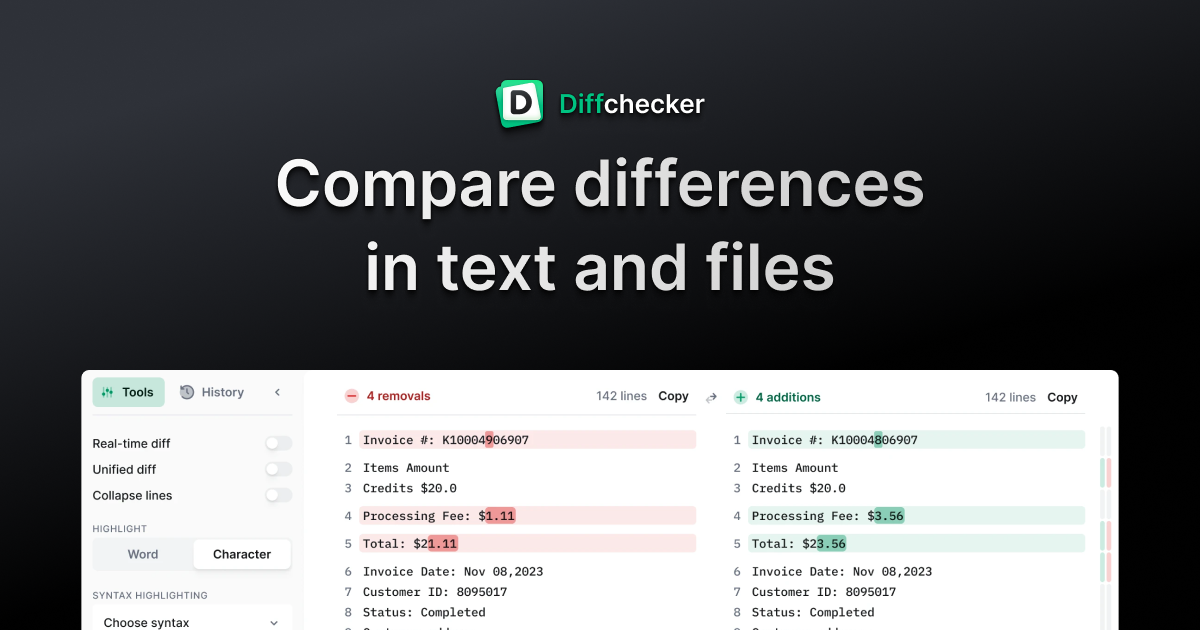
Diffchecker compares text, files and code to show what changed. Paste two versions or drop in two files, and every insertion, deletion and edit is highlighted line by line. Side-by-side view shows the original and the changed version, with removals in red and additions in green. Unified view uses the single-column format that Git and code review tools use. You can set custom ignore rules to skip things like timestamps or session IDs, adjust how precise the highlight is, merge changes and keep your work. It handles JSON, XML and other code, and you can share a comparison as a link. The site says no sign-up is needed to compare and that there is no file size limit. The comparison runs in your browser. The optional desktop app runs the same comparison offline, so files never leave your computer. Pro + Desktop adds folder and batch comparison.

Price
Freemium
Category
Utilities
Website
diffchecker.com