
Open source alternatives to Diff Checker
200 open source apps like Diff Checker, closest match first.
Top picks
- R

revdiff
LaunchTerminal UI for reviewing diffs, plans, and documents with inline annotations. Ships as a Claude Code, Codex, and OpenCode plugin. Git, Mercurial, Jujutsu.
FreeOpen source
- L
Livediff
Launch👁️ Real-time file monitoring with beautiful live diff visualization in the terminal. Built in Rust 🦀
FreeOpen source
- V
Verify Changed Files
Launchverify-changed-files is a GitHub Action that checks whether files or directories changed while a workflow was running. You use it to confirm that certain files did or did not change during a job, for example to check that a generated file i
FreeOpen source
- J

JSON Diff
LaunchJSON Diff is a free and open-source tool to compare two JSON objects and find differences. Visualize changes in JSON files, easy and fast.
Open source
- R

repo2txt
LaunchConvert GitHub, GitLab, Azure DevOps, local folders, and ZIP files into plain text for LLM prompts. Free, open-source, and processed in your browser.
FreeOpen source
- G

GenOffice
LaunchFree, open-source AI Office suite: Docs, Sheets, Slides, PDF, Markdown and HTML editors with a built-in AI agent, plus a `genoffice` CLI and agent skill so Claude Code, Codex and Cursor can create and edit real .docx/.xlsx/.pptx files local
FreeOpen source
More like Diff Checker







About Diff Checker
Diff Checker
Compare two text passages and view differences
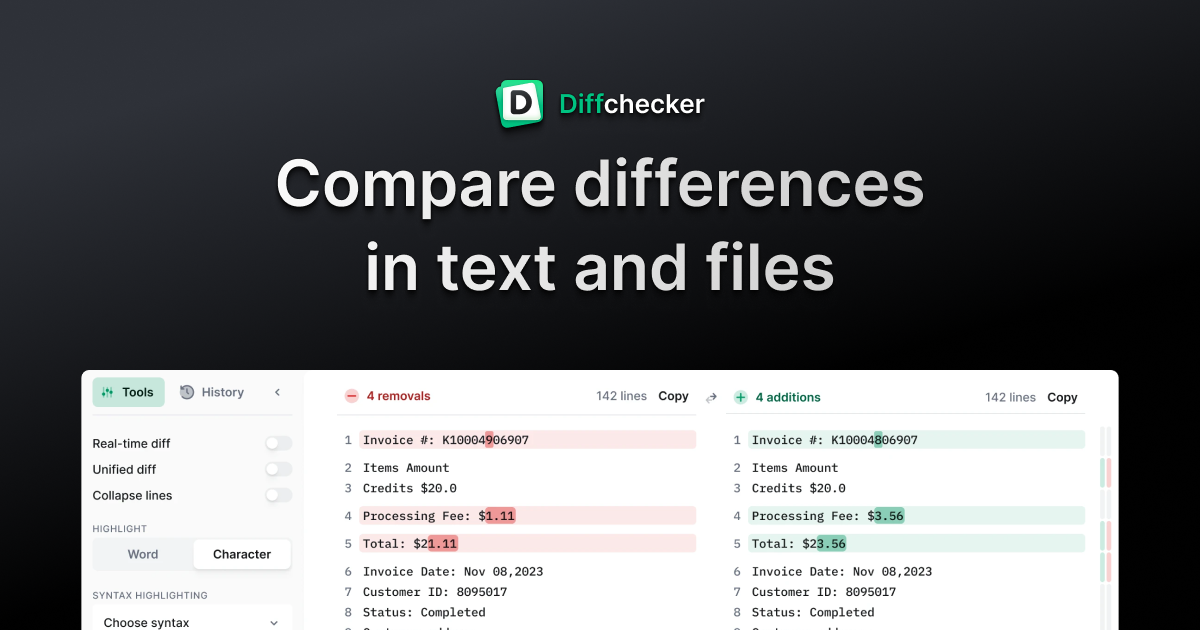
Diffchecker compares text, files and code to show what changed. Paste two versions or drop in two files, and every insertion, deletion and edit is highlighted line by line. Side-by-side view shows the original and the changed version, with removals in red and additions in green. Unified view uses the single-column format that Git and code review tools use. You can set custom ignore rules to skip things like timestamps or session IDs, adjust how precise the highlight is, merge changes and keep your work. It handles JSON, XML and other code, and you can share a comparison as a link. The site says no sign-up is needed to compare and that there is no file size limit. The comparison runs in your browser. The optional desktop app runs the same comparison offline, so files never leave your computer. Pro + Desktop adds folder and batch comparison.
- Price
- Freemium
- Category
- Utilities
- Website
- diffchecker.com