Skip to content
Screenbolt

Alternatives to Screenbolt

200 apps like Screenbolt, closest match first.

Top picks

  1. S

    Screen Studio

    Launch

    Screen Studio is a screen recording app for macOS that makes product demos, tutorials, courses and social videos look edited without much manual work. While you record your screen, camera or both, it adds automatic zooms that follow your mo

  2. B

    BetterShot

    Launch

    Screenshot, screen recording, and video editor for macOS. Native SwiftUI app with capture deck, 75+ customizable shortcuts, URL scheme automation, and self-hosted cloud sharing. Open-source alternative to CleanShot X and Loom.

    Open sourceSelf-hosted

  3. S

    Screen Charm

    Launch

    Screen Charm is a macOS screen recording tool that automatically adds professional polish to your recordings. It features smart zoom that follows your cursor, smooth cursor animations, and customizable backgrounds to make tutorials and demo

  4. C

    CursorClip

    Launch

    CursorClip is a native macOS screen recorder that adds zooms and pans while you record. You record your screen as normal, with the camera, system audio and microphone if you want them, and CursorClip follows the cursor and zooms in on the p

  5. S

    Screen Movie

    Launch

    Screen Movie is a native macOS application that combines screen recording, screenshot capture, and video editing in one streamlined tool. Record your screen, capture screenshots, and edit videos directly—adding animated text, images, captio

  6. D

    debut.sh

    Launch

    Debut is a native macOS screen recorder for making product demo videos. You record your screen and Debut adds the polish: smart zoom that follows your cursor and focuses on the relevant parts, smooth cursor motion, click highlights, and stu

More like Screenbolt
7
S

Screenize

(Development of Screenize is currently paused) Open-source macOS screen

Launch
8
O

OpenScreen

Record your screen, ship a demo

Launch
9
S

ScreenStory

Create stunning product videos with automatic zoom and motion effects

Launch
10
I

iRecord

Lightweight screen recording and video editor for MacOS

Launch
11
S

Screenize

Open-source screen recorder with auto-zoom, cursor effects, and timeline editing

Launch
12
S

SmoothRecorder

Record Beautiful Demos Without Editing

Launch
13
S

ScreenOtter

Beautiful screenshots & Cinematic recordings

Launch
14
S

Screenity

Privacy-friendly screen recorder & video editor

Launch
15
B

BlitzRecorder

BlitzRecorder is a macOS screen recording app

Launch
16
M

Motionik

Beautiful screen recordings for Windows & macOS - auto zoom, audio, cam, caption

Launch
17
S

Screentell

Record and edit screen videos

Launch
18
B

Boom for Mac

Create stunning product videos and demos on your Mac

Launch
19
C

Canvid

Create Stunning Screen Recordings. No Editing Skills Needed

Launch
20
K

Kap

Capture, edit, and share your screen with ease

Launch
21
F

FocuSee

Auto-zoom screen recordings that highlight every click and action

Launch
22
L

Lapser Studio

Create beautiful timelapse screen recordings, effortlessly

Launch
23
S

Shotbase

Beautiful screenshots, recordings, and more

4.0·1
Launch
24
S

Scre.io

Record videos from the camera or capture from the screen

Launch
25
S

ScreenToVideo

Powerful Screen Recorder and Video Editor

Launch
26
S

Screenarc

Cross-platform screen recorder & editor

Launch
27
Q

QuickRec-Screen Recording

QuickRec (https://quickrec.app): Record Mac screen with system audio easily

Launch
28
M

Maya

Wrap your iPhone screen recordings in a beautiful device frame

Launch
29
D

Dualgram Screen Recorder

Record your Mac screen + your camera at the same time!

Launch
30
S

Snapzy

Free and open-source native macOS app for screenshots, screen recording

Launch
31
S

Screendrop

A beautiful screenshot + screen recording + Loom alternative

Launch
32
C

Capptivo

Give your demos the spotlight they deserve ( Mac/Windows/Linux )

Launch
33
Z

Zoomedin

Elevate your screen recordings from basic captures

Launch
34
K

Kapshot

Creates Screen recordings that look like you edited them

Launch
35
Z

Zoomix

Create beautiful product demos with smooth zoom effects

Launch
36
A

autozoom - Cross platform

Screen recording, elevated

Launch
37
S

ScreenCursor

Record your screen and get back a finished video

Launch
38
A

AfterCut - Professional Screen Recording

Great products don't sell themselves. Great demos do

Launch
39
S

ScreenKite

3x Faster Screen Recording & Video Editing Powered by AI Agent on Mac

Launch
40
C

CleanShot Cloud

Fast screenshot and screen recording service

Launch
41
R

Recordly

Recordly is an open‑source screen recorder for MacOS/Windows/Linux

Launch
42
C

CleanShot X

Discover a superior way to capture your Mac's screen

Launch
43
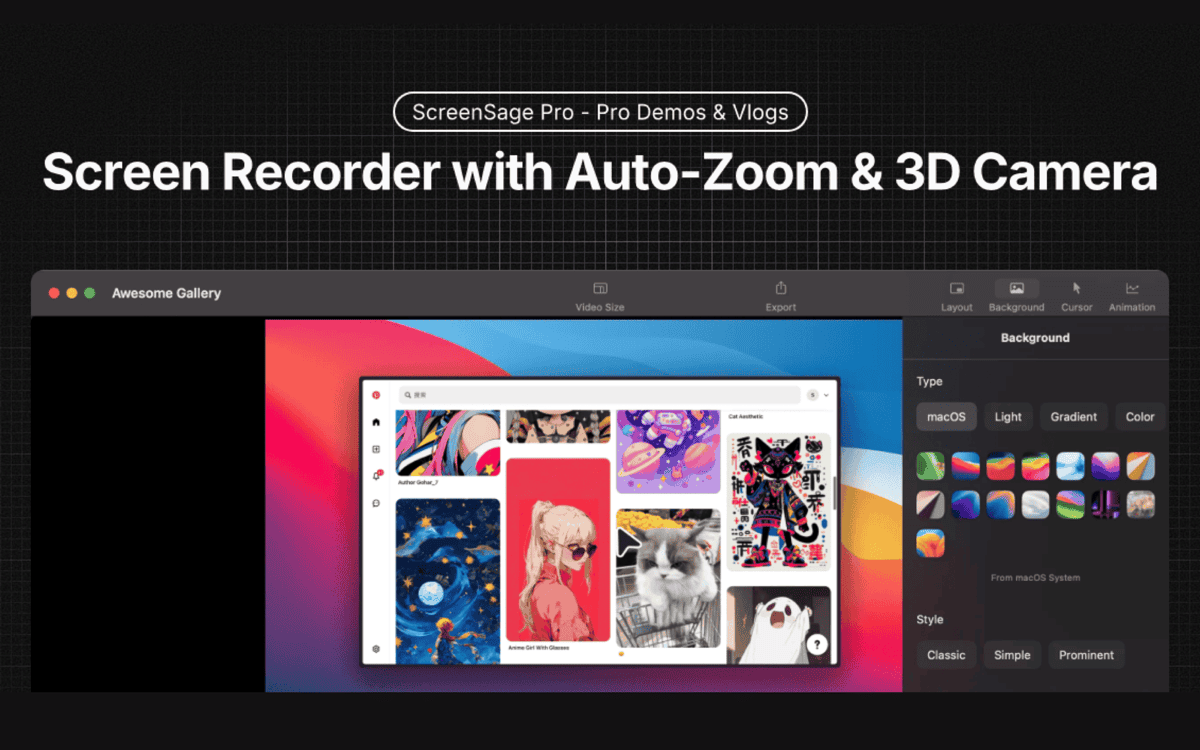
S

ScreenSage Pro

Mac Screen Recorder & Tutorial Maker

Launch
44
Z

Zoomify Studio

An alternative to Screen Studio. But web-based and affordable

Launch
45
R

Rapidemo

Automatically beautiful screen recordings. Made for Windows 10 and 11

Launch
46
C

Capso

Open-source screenshot and screen recording for macOS

Launch
47
M

Monosnap

Make screenshots. Draw on it

Launch
48
I

Icecream Screen Recorder (Free Version)

Icecream Screen Recorder Free for Mac is a software for easy screen capture

Launch
49
R

Reel

Reel is a free screen recorder with a live face cam for iPhone, iPad and Mac

Launch
50
1

1001 Record

1001 Record is a simple and reliable Mac screen recorder

Launch

About Screenbolt

S

Screenbolt

Record. Edit. Ship

Screen Bolt is a native macOS app for recording and polishing screen recordings. It is built for tutorials, demos and product videos, and it can record in 1080p or 60fps. Its auto-zoom tracks every cursor movement, click and keystroke, and pushes in on the moments that matter, with cursor smoothing, custom easing and a 3D camera, so the result looks edited by hand. Effects let you draw a region to blur passwords, emails or anything else that should stay off camera, or to spotlight an area and dim the rest, and both ride a timeline with keyframes. Backgrounds can be mesh gradients, solid colors or your own image, with padding and rounded corners. Recording is organized into scenes so you can re-take a part without starting over, and a teleprompter scrolls a script during recording. Other tools include a webcam overlay, an iPhone used as a second camera, mechanical keyboard and click sounds, annotations, and studio-quality voice cleanup for a noisy room. The site says Screen Bolt is free to download for Mac, and that the company also makes Picbolt and SmartSpreadsheets.

Price
Free
Category
Photo & Video
Website
screenbolt.co