Skip to content
inklet

Alternatives to inklet

200 apps like inklet, closest match first.

Top picks

  1. H

    Hej Stylus!

    Launch

    Hej Stylus! is a systemwide pen stabiliser for macOS. It smooths the position, pressure, tilt and rotation of your stylus in any app that accepts pen input, including Photoshop, Illustrator, Clip Studio Paint and Affinity, with no setup for

  2. S

    Sketch

    Launch

    Sketch is a design app for macOS, used to design interfaces and products, prototype them and hand designs to developers. The design tools include precise layout and point control, and the site describes components with variants and sections

  3. S

    StrokeMouse

    Launch

    StrokeMouse is a free, open-source gesture tool for Mac. Hold a mouse button or a single modifier key, draw a shape, and it runs an action such as a keyboard shortcut, a window action, opening an app or URL, a shell command or AppleScript.

    FreeOpen source

  4. D

    Draw Over It

    Launch

    Draw Over It is a macOS app that puts a transparent drawing overlay on top of anything on your screen. It is aimed at presenters, trainers and others who need to mark up documents, slides or code during live sessions. You open the overlay f

  5. P

    Pixen

    Launch

    Pixen is a native pixel art and animation editor for Mac, made for low-resolution raster art such as the 8-bit sprites of old video games. It offers layers with opacity and blend modes, colour filters for adjusting artwork, and a set of dra

  6. P

    Presentify

    Launch

    A mac app to draw on your screen while on calls, highlight your cursor, and more. ![App Store][app-store Icon]

More like inklet

7
M

Monodraw

Powerful ASCII art editor designed for the Mac

Launch
8
D

DrawingPics

Offline AI Art Generator in a Whiteboard

Launch
9
S

Scribbble

Screen annotation app for Mac

Launch
10
T

Tactile

Adds subtle trackpad haptic taps over clickable elements

Launch
11
G

Graphic

Graphic is a powerful feature-packed vector drawing and illustration application

Launch
12
S

SketchScreen

SketchScreen lets you annotate directly on your screen with drawing tools

Launch
13
S

Sill

Any window from your Mac, live on your iPhone or iPad

Launch
14
M

Middle

Add middle click for Trackpad and Magic Mouse

Launch
15
M

Multitouch

Add more gestures for Trackpad and Magic Mouse

Launch
16
S

SketchBook

Drawing software for concept design, comic art, and digital sketching

Launch
17
D

Deskscribble

Deskscribble not only allows you to draw on top of your desktop

Launch
18
C

Createy

The native AI layer for mac. Generate & drag assets anywhere

Launch
19
M

Mockup

Mockup helps you sketch, wireframe, and prototype apps and websites across iPad

Launch
20
S

Swish

Control windows and applications with trackpad gestures

Launch
21
P

pencilkit

Add Apple Pencil drawing with PKCanvasView, PKToolPicker

Get
22
T

Tayasui Sketches

Professional drawing software

Launch
23
M

MiddleDrag

Middle-click and middle-drag via three-finger trackpad gestures

Launch
24
T

TouchDraw 2

TouchDraw 2 is a vector drawing application for the Mac

Launch
25
M

Mac Mouse Fix

A simple way to make your mouse better

Launch
26
I

ItsPaint

Native paint and screenshot markup: step badges, pixelate redaction

Launch
27
B

bananotate

Turn any screen into figma/canva!

Launch
28
F

FORMA

FORMA is a fast, Metal-powered drawing & illustration studio for iPhone

Launch
29
M

MarkerOn

Lightweight (~1.5 MB) open-source screen annotation

Launch
30
S

System-Color-Picker

The macOS color picker as an app with more features

Launch
31
C

CheatSheet

Know your short cuts. ![Freeware][Freeware Icon]

Launch
32
C

ColorSnapper

The missing color picker for Mac

Launch
33
D

DrawPen

DrawPen is a simple screen annotation. Available on macOS, Windows & Linux

Launch
34
S

Sketch

Sketch have a lot of basic functions to develop a drawing app for iPhone

Launch
35
C

CanvasNote

Note-taking & drawing app for 2-in-1 devices

Launch
36
T

Turn Photo to Sketch

Turn your photos and videos into drawings so realistic, they look hand-drawn

Launch
37
V

visualOS

The infinite canvas that stores your work as real files

Launch
38
A

Art Text 3

Graphic design software for lettering, typography, and text effects

Launch
39
N

NiBoard

NiBoard is a simple whiteboard app for drawing, sketching, notes, and ideas

Launch
40
S

Shortap

Quick tap gestures for your MacBook

Launch
41
O

okso.app

The drawing app with a nested "drawing-inside-the-drawing" structure

Launch
42
N

NotchMomo

companion in your mac

Launch
43
A

Atoll

Dynamic Island for the MacBook notch

Launch
44
S

Sketch

Design, prototype, collaborate and handoff

Launch
45
M

Magic Switch

Switch Magic Keyboard, Mouse, and Trackpad between multiple Macs

Launch
46
S

Sowiks

Screenshot and video recording with 20+ annotation tools and pro features

Launch
47
M

MockApp Wireframe UI Mockup

The all-in-one design toolkit for Mac, iPad

Launch
48
A

Alchemy

Experimental, open-source drawing application

Launch
49
B

BetterTouchTool

Nov 5, 2017 - BetterTouchTool is a great, feature packed app

Launch
50
T

Trackpad Gestures

Tap, swipe, pinch, or spread your fingers

Launch

About inklet

I

inklet

Turn your Mac trackpad into drawing board

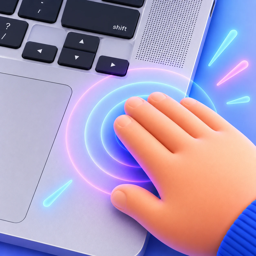
Inklet is a Mac app that turns your trackpad into a pen tablet, so you can draw in Photoshop or another drawing program without a graphics tablet. With a Pogo pen or a Force Touch trackpad it becomes pressure sensitive, and in a pinch you can even draw with a finger. The site shows Inklet working with Zoom as well as Photoshop. Inklet 2 runs on macOS 10.10 or later, and after you buy it a license is sent to you by email. A bundle with a Pogo, a pen made for drawing on a trackpad, is sold alongside the app. The FAQ covers installing and running Inklet, using it with a drawing program, what to do when nothing shows up on screen, registering the app, using an external Magic Trackpad and uninstalling. The app is a paid download, with a demo on the product page.

Price
Paid
Category
Design
Website
tenonedesign.com