
Free alternatives to mdto.page
200 free apps like mdto.page, closest match first.
Top picks
- M
MD To - Markdown Converter
LaunchMD-To.com is a lightweight yet powerful Markdown conversion tool designed for developers and writers. It provides a seamless experience to transform your Markdown files into high-quality HTML, PDFs, or stylized images with just a few clicks
- M

Md.page
LaunchInstantly turn Markdown into a shareable web page. Self-hostable open-source engine of md.page.
Open sourceSelf-hosted
- D

Dillinger
LaunchFree online Markdown editor with live preview. Write, format, and export Markdown to HTML or PDF — sync to GitHub, Dropbox & Google Drive. No signup.
- D

Docsify This
LaunchDocsify-This turns online Markdown files, including README files on GitHub or Codeberg, into clean, readable web pages you can share, embed, or present. No setup or server needed, and your source files stay unchanged. Open-source and great
Open source
- M

markdown-to-html
Getmarkdown-to-html is an agent skill from the github/awesome-copilot collection for converting Markdown documents to HTML. It works with marked.js for Node.js and command-line workflows, pandoc for conversion between many document formats, go
- M
Markdown Toolbox
LaunchMarkdown Toolbox simplifies Markdown editing and conversion. Seamlessly convert to HTML, RST, PDF, or PPTX formats. Generate links, tables, and manage files effortlessly. Stay ahead with regular updates. Simplify your editing process with M
More like mdto.page







Doc to Markdown
DocToMD is the most professional document to Markdown,Convert PDF to Markdown


















About mdto.page
mdto.page
Convert & share Markdown as beautiful HTML & PDF
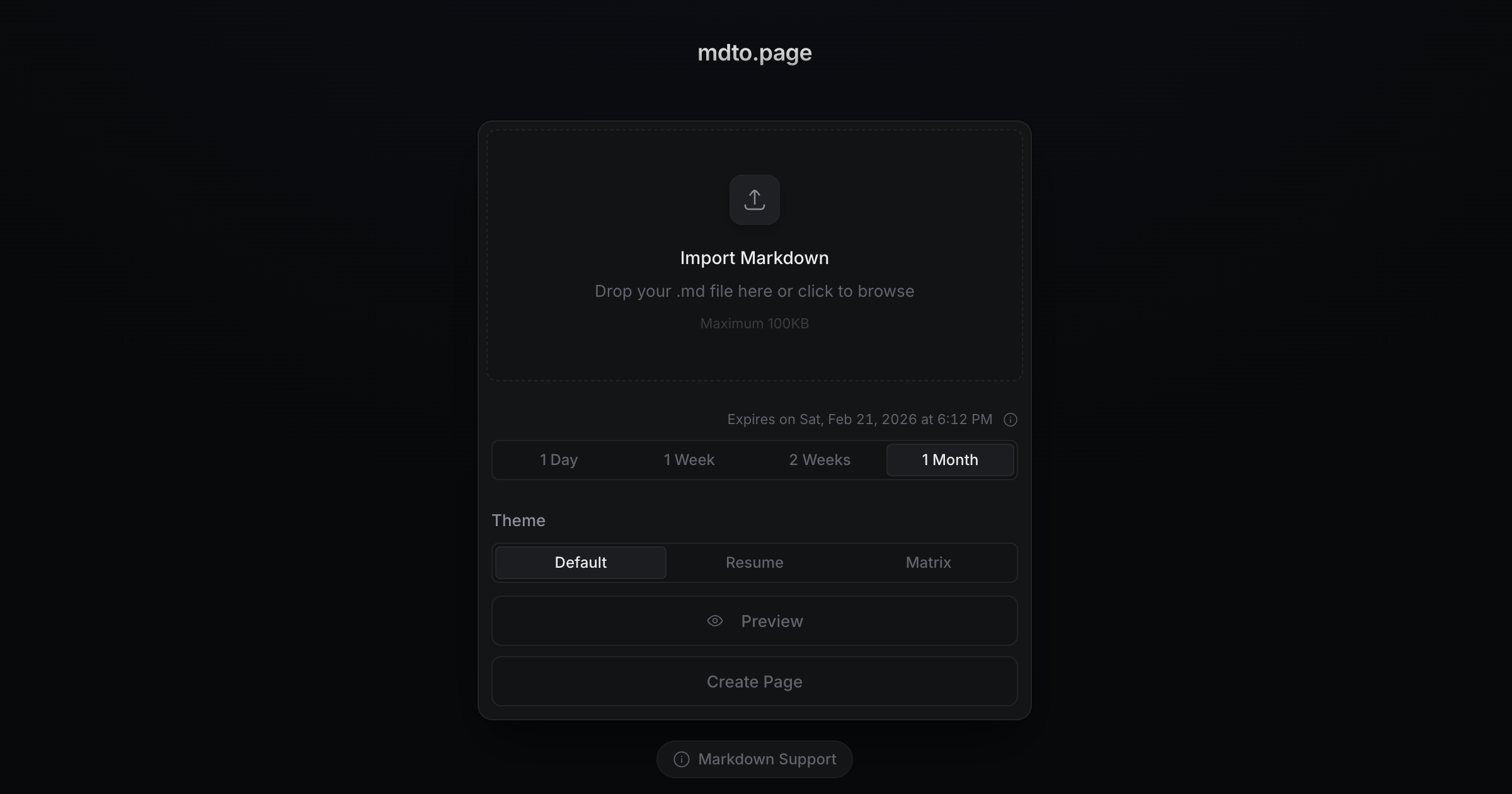
mdto.page is a web tool that turns a Markdown file into a clean, shareable HTML page or a PDF, without needing an account. You drop in a .md file or paste Markdown with Ctrl+V (up to 100 KB), pick a theme such as Default, Resume or GitHub, preview it, and then create a page with its own link or export a PDF. A recent addition lets you attach local images to your pages. When creating a page, you choose how long it stays online: one day, one week or one month without logging in, or indefinitely if you log in. Expired pages are removed periodically, so the exact deletion time can vary. The interface is available in English, Korean, Simplified Chinese and Japanese, and the site documents which Markdown syntax it supports. The source code is published on GitHub.
- Price
- Open source
- Category
- Utilities
- Website
- mdto.page