Skip to content
Scribbble

Alternatives to Scribbble

200 apps like Scribbble, closest match first.

Top picks

  1. S

    SketchScreen

    Launch

    SketchScreen is a versatile application designed for real-time annotation directly on your screen. Ideal for educators, presenters, and professionals, it offers a suite of powerful drawing tools that enhance your presentations, lectures, an

    Free

  2. M

    MarkerOn

    Launch

    5 MB in size. It is for demos, teaching, meetings and screen recordings. You press Ctrl+Shift+D to start drawing over any app, and the tool runs in the system tray with no account, telemetry or cloud dependency. The click-through mode lets

    FreeOpen source

  3. W

    wayscriber

    Launch

    wayscriber is a ZoomIt-style, real-time screen annotation tool for Linux/Wayland, written in Rust. One keybind puts a drawing layer over any application. You can annotate, present, zoom, capture, and then hide it.

    FreeOpen source

  4. D

    Deskscribble

    Launch

    Deskscribble not only allows you to draw on top of your desktop and ontop of all open windows, it is also an easy to use whiteboard, blackboard and you can even use it for your own and your kids' scribbles.

  5. S

    Sitch

    Launch

    Sitch is a free, open-source screenshot annotation app for Windows 10 and 11 and for macOS 15 and later. It is a replacement for Skitch, the markup tool that Evernote stopped developing for Windows in 2016. Press one hotkey, drag over part

    FreeOpen source

  6. D

    DrawPen

    Launch

    DrawPen is a free, open-source tool that lets you draw on top of any screen - perfect for presentations, classes, live coding and remote meetings.

    FreeOpen source

More like Scribbble
7
D

Draw Over It

Collaborative drawing overlays for product feedback and creative iteration

Launch
8
S

Sowiks

Screenshot and video recording with 20+ annotation tools and pro features

Launch
9
P

Presentify

A mac app to draw on your screen while on calls, highlight your cursor, and more

Launch
10
S

Shottr

Screen capture application with features like Scrolling capture, OCR and markup

Launch
11
S

Screen Snipe

Screen Snipe is a lightweight, native macOS app for capturing your screen

Launch
12
B

bananotate

Turn any screen into figma/canva!

Launch
13
P

Presentify

Screen annotation and cursor highlight app for macOS

Launch
14
S

Snapzy

Free and open-source native macOS app for screenshots, screen recording

Launch
15
C

CleanShot X

Discover a superior way to capture your Mac's screen

Launch
16
L

Longshot

### Annotation and Color Picking Conveniently annotate the screen

Launch
17
S

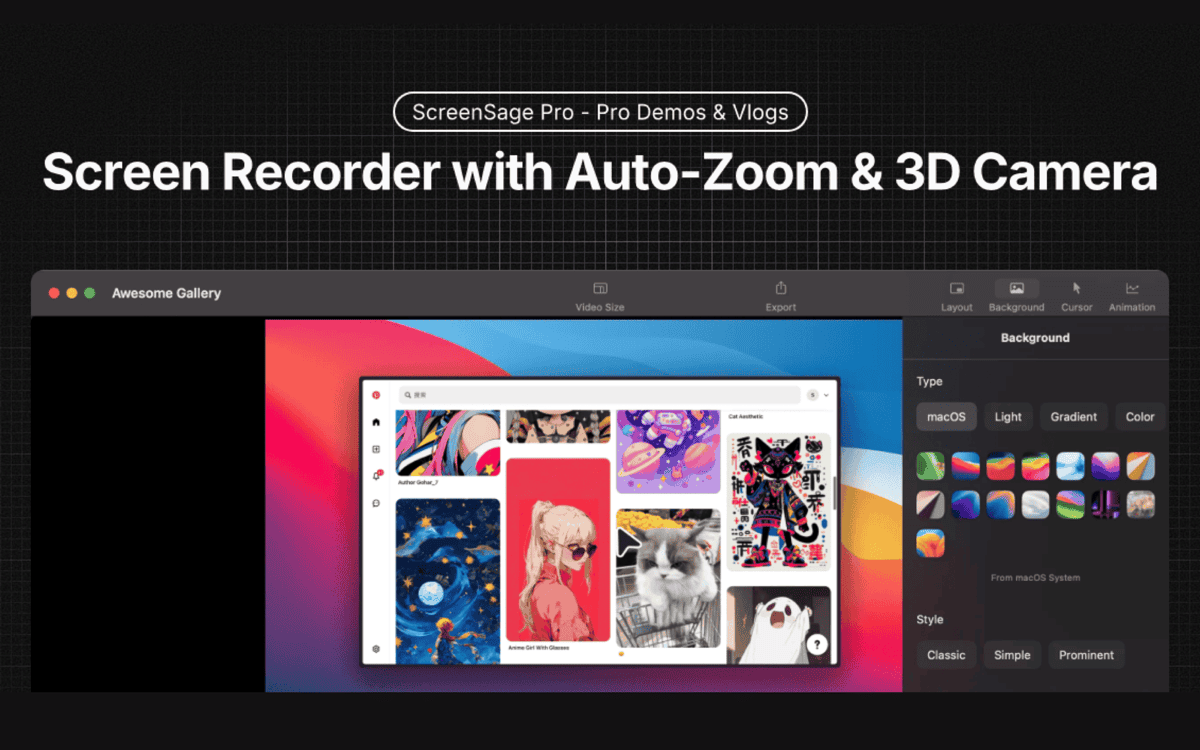
ScreenSage Pro

Mac Screen Recorder & Tutorial Maker

Launch
18
I

ItsPaint

Native paint and screenshot markup: step badges, pixelate redaction

Launch
19
S

ScribblePad

The free, private note app for iPhone, iPad & Mac

Launch
20
S

Shotbase

Beautiful screenshots, recordings, and more

4.0·1
Launch
21
D

Draw on Screen

Engage your audience with effortless screen annotations

Launch
22
S

Snipaste

Simple but powerful snipping tool. ![Freeware][Freeware Icon]

Launch
23
A

Annotate

Annotation tool for macOS

Launch
24
N

Notate

Annotate anything — for humans and their agents

Launch
25
M

McShot

The ultimate screenshot tool carefully crafted by professionals

Launch
26
A

Apowersoft Screenshot

Apowersoft Screenshot is a simple yet powerful screenshot utility

Launch
27
S

SmoothRecorder

Record Beautiful Demos Without Editing

Launch
28
M

Monosnap

Capture and edit screenshots, upload files, record video and .GIFs!

Launch
29
T

TekaPoint

Fast and elegant screen annotation for presentations

Launch
30
L

Lightshot

The fastest way to take a customizable screenshot. ![Freeware][Freeware Icon]

Launch
31
H

Hej Stylus!

Full fledged stylus control for macOS

Launch
32
S

StrokeMouse

Custom mouse gestures that can trigger keyboard shortcuts, open apps

Launch
33
C

capcap

Native menu bar screenshot tool

Launch
34
S

Saber

Cross platform stylus and text notetaking app

Launch
35
C

Capty

Screen capture and recording tool with built-in editing and annotations

Launch
36
S

screenload

Powerful yet simple to use screenshot software

Launch
37
S

SketchBook

Drawing software for concept design, comic art, and digital sketching

Launch
38
S

Screen Movie

Record your screen, capture screenshots, edit videos, animate text

Launch
39
S

Screendrop

A beautiful screenshot + screen recording + Loom alternative

Launch
40
S

Scribbly

Scribbly is a web application built with Next.js and Prisma

Launch
41
A

Annotator

Draw on anything on your screen — live. Windows Edition

Launch
42
S

SupremeScreenshot

SupremeScreenshot is a simple screenshot and edit tool for Mac OSX

Launch
43
I

iShot

The macOS screenshot tool your Mac deserves

Launch
44
S

Screenshop

Screenshop is the most advanced screenshot creator and designer on macOS!

Launch
45
S

ScreenBrush

Draw over the entire screen Quick and useful way

Launch
46
H

Hndmark

Mark up screenshots the human way, for sharing work in progress

Launch
47
Z

Zkitch

Zkitch is a macOS screenshot annotation tool and a modern alternative to Skitch

Launch
48
X

Xnip

Handy Screenshot App

Launch
49
S

ScreenOtter

Beautiful screenshots & Cinematic recordings

Launch
50
A

Articulate Storyline

Create interactive courses with drag-and-drop interface, design content

Launch

About Scribbble

S

Scribbble

Screen annotation app for Mac

Scribbble is a Mac app for drawing directly on your screen while you present, record or demo. You press a hotkey to draw over any app, and press it again to clear the marks. The toolkit includes a freehand pen, arrows, rectangles and ellipses, a translucent highlighter, text, a spotlight that dims everything except a circle around your cursor, a magnifier, a measure tool and a whiteboard that blanks the screen for a clean canvas. Auto-fade removes strokes a few moments after you draw them, and snapshots capture the screen or a region with the annotations included. It is aimed at teachers, streamers, YouTubers, designers and people running sales demos. The app runs on macOS 14 or later, on both Apple Silicon and Intel Macs. You can try every tool free, then buy one lifetime licence that covers future versions. The site says there is no subscription, no account and no login.

Price
Free trial
Category
Design
Website
scribbble.app