Alternatives to Brackets
200 apps like Brackets, closest match first.
Top picks
- P

Phoenix
LaunchPhoenix Code is a free, open-source code editor for websites, web apps and Markdown, and the successor to Brackets. You write HTML, CSS and JavaScript with live preview while you code, markdown live preview, code intelligence, fast search,
- M

MacDown
LaunchOpen source Markdown editor for macOS with live preview and HTML/PDF export. [![Open-Source Software][OSS Icon]](https://github.com/MacDownApp/macdown) ![Freeware][Freeware Icon]
- C

Codejar
LaunchCodeJar is a small, embeddable code editor for the web. It is a lightweight component of about 2 kB that turns an element into an editable code area with highlighting, so you can add a code editor to a page without a large framework. It is
- L
Live Editor
LaunchLive Editor is the browser-based live coding environment built for Khan Academy's computer programming curriculum. Learners write code on the left, in either the ACE text editor or a blocks-based drag-and-drop editor, and see the result on
- J

JSitor
LaunchJSitor is a browser-based code editor for HTML, CSS, JavaScript and Node.js projects. You write, run and share pens and projects from the browser, with nothing to install. The site has a showcase of community work, a set of daily and featur
- O

OpenBracket
LaunchOpenBracket is a browser-based collaborative code editor built for technical interviews. You open a document, share its link, and an interviewer and candidate can write and run code together in real time, with syntax highlighting, autocompl

More like Brackets














Atomic Editor
CodeMirror 6 markdown editor with Obsidian-style inline live preview. Live demo





About Brackets
Brackets
Free Open Source Code Editor with Live Preview
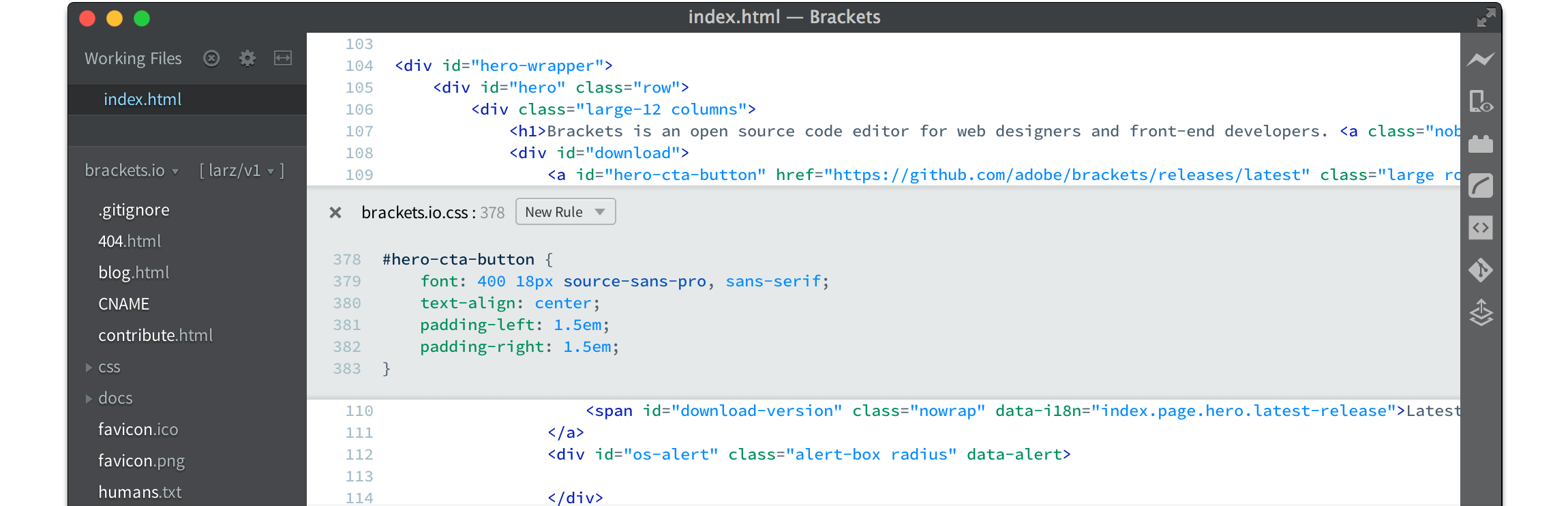
Brackets is a free, open-source code editor for web developers, and its successor is now called Phoenix Code. The editor is built for HTML, CSS and JavaScript, and it blends visual helpers into the text editing so you get help when you want it. Features include inline editors, a live preview that updates the page as you work, preprocessor support, and extensions for Git, Emmet abbreviations, code beautifying, Markdown preview, file icons, indent guides, autoprefixing and W3C validation. The Brackets page now recommends that users move to Phoenix Code, which runs on Windows, macOS and Linux and in web browsers, and it links to phcode.dev for the download and a web editor. The Brackets source code is on GitHub, and an active community of web developers supports the project through discussions, Discord and Reddit.
- Price
- Open source
- Category
- Developer Tools
- Website
- brackets.io