Alternatives to Drovp
200 apps like Drovp, closest match first.
Top picks
- D

droppy
Launchdroppy is a self-hosted file storage server with a web interface and capabilities to edit files and view media directly in the browser. It is particularly well-suited to be run on low-end hardware like the Raspberry Pi.
FreeOpen sourceSelf-hosted
- I
imgproxy
Launchimgproxy is a fast and secure standalone server for resizing and converting remote images. The guiding principles behind imgproxy are security, speed, and simplicity
FreeOpen sourceSelf-hosted
- U

Uppy.io
LaunchUppy is an open source JavaScript file uploader for web browsers. It pulls files from your disk, Dropbox or Google Drive, and it resumes uploads if the connection drops. It is modular, so you include only the parts you need, and it works wi
FreeOpen source
- D

Dropzone
LaunchDropzone makes it faster and easier to copy and move files, open applications and share files with many different services. Dropzone is a unique and amazing app that's like nothing you've ever used before. We've paid fanatical attention to
- F
FileFlows
LaunchFile processing made easy!
- D

Droppy
LaunchSupercharged Dynamic Island for Mac. Live activities, a file tray, clipboard manager and 39 extensions. Meet the all-new Floating Player, wherever you need it.

More like Drovp
























About Drovp
Drovp
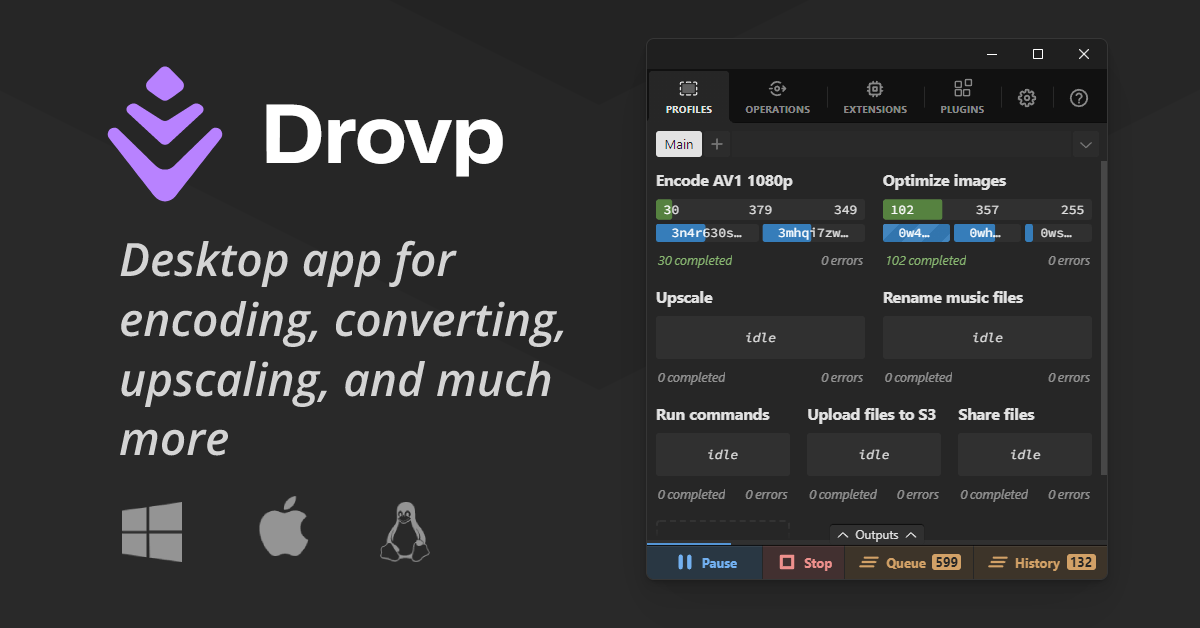
Desktop app for encoding, converting, upscaling, and much more
Drovp is a cross-platform desktop app for processing files with drop zones. You create a profile, which is a drop zone tied to a processor, configure how it should handle what you drop, and then drop files, folders, URLs, text or image data into it. Drovp itself does nothing on its own. It needs plugins that add processors for tasks such as encoding, converting and upscaling, and you install them from the registry in the app. Dropping a folder creates an operation for each file the plugin accepts, and queueing and parallelization controls are built in, including limits on how many operations of one processor run at the same time. Some processors offer their own interfaces for more detailed instructions. Holding Ctrl while dropping a file into an encode profile, for example, opens a media editor where you can crop, resize or cut. Profiles can be exported and shared with others, and imported again. Developers can write new plugins by enabling developer mode, registering the file extensions they handle and creating the processor. The site lists the app as beta, and the current version shown is 0.8.2. The encode processor is published on GitHub, and the project has an issues page and a discussions area for questions.
- Category
- Developer Tools
- Website
- drovp.app