Skip to content
tilt.camera

Free alternatives to tilt.camera

200 free apps like tilt.camera, closest match first.

Top picks

  1. S

    ScreenDemos

    Launch

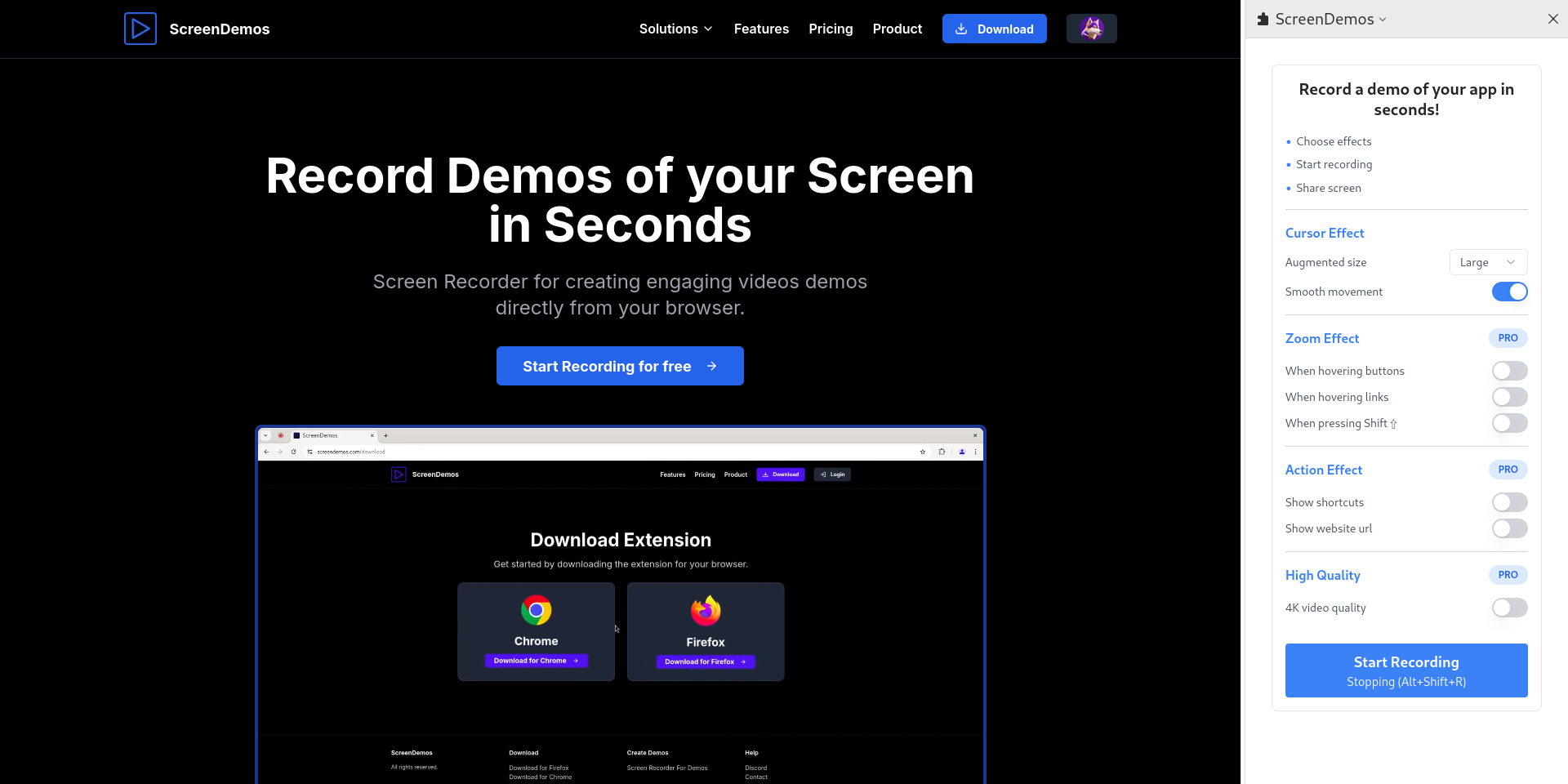
    ScreenDemos is an online screen recorder for making product demo videos in the browser. You install a browser extension, open its sidebar, choose recording options with effects and start recording. The app adds effects that would otherwise

    Free

  2. T

    tesseract-video

    Get

    Edit existing footage into finished videos locally with Tesseract. Make cuts, preserve dialogue, add purposeful sound design, mix audio, and decide where

    Free

  3. V

    video-shotcraft

    Get

    video-shotcraft is an agent skill from the vincentwei1021 video-shotcraft project for making cinematic product videos. It is a self-contained toolkit with a library of 157 shot recipe cards, each with demo source code and a motion sample, a

    Free

  4. O

    Openvid

    Launch

    Openvid is a free, AI-powered online video editor that runs in your browser. It records your screen and turns recordings into polished demos, with cinematic zooms, 3D device mockups, custom backgrounds, camera and audio controls, elements s

    FreeOpen source

  5. V

    video-editing

    Get

    video-editing is an agent skill from the ECC collection by affaan-m, listed on skills.sh. It covers AI-assisted editing of real footage: cutting, structuring and augmenting video that already exists, rather than generating whole videos from

    Free

  6. M

    muapi-cinema-director

    Get

    muapi-cinema-director is an agent skill for directing AI-generated cinematic video. It turns a high-level creative intent into the technical directions that video models such as Veo 3, Kling and Luma respond to. Its core competencies are sh

    Free

More like tilt.camera

7
B

BetterShot

Screen recorder featuring cursor zoom and captions

Launch
8
S

Shortcast

Native macOS app: drop a long video → auto-cut viral shorts

Launch
9
T

tesseract-motion

Create editable motion graphics locally in Tesseract

Get
10
R

remotion-best-practices

Domain-specific knowledge base for building videos with Remotion and React

Get
11
B

browser-video-recording

Create polished 60 fps 4:3 4K browser screen-recording style videos

Get
12
V

video-hyperframes

Hyperframes / Remotion-compatible continuous frame animation

Get
13
V

video-edit

Edit existing video on RunComfy

Get
14
G

general-video

Author or edit a custom HyperFrames composition

Get
15
T

tasteforge-video

File-driven multimodal image, video, and 3D-asset discovery; taste interviews

Get
16
C

Cinematic Photo

Get movie grade stills for your pictures

Launch
17
E

editor

Understand, generate, and edit footage

Get
18
Z

Zoomify Studio

An alternative to Screen Studio. But web-based and affordable

Launch
19
V

video-outpainting

Video outpainting on RunComfy via the `runcomfy` CLI

Get
20
R

Reframe

Free, open-source video editor that runs in your browser

Launch
21
R

remotion

Create professional walkthrough videos from Stitch app designs

Get
22
Z

zoneclip

Turn gaming VODs into Shorts, TikToks, and Reels with local AI for Free

Launch
23
R

remotion-studio

Preview a Remotion video

Get
24
F

FirstCut Studio

AI video editor that curates your best clips and auto-edits travel videos

Launch
25
S

Screendrift

ScreenDrift turns screen recordings into demos worthy of Product Hunt, LinkedIn

Launch
26
R

remocn

Pick, install and compose remocn components: ready-made Remotion animations

Get
27
T

Tokokino

In-browser editor for device framing and mockups

Launch
28
F

fx/studio

Upload images, customize grain and visual effects in real time

Launch
29
H

hyperframes-read-first

START HERE for any request to make, create, generate, edit, animate

Get
30
O

orbit-card

A single feature card orbits a dot sphere on approved Blender camera motion

Get
31
C

contribute-catalog

Contribute a new caption style, VFX effect, transition

Get
32
S

sora

Generate, remix, and manage short video clips via OpenAI's Sora API

Get
33
G

gemini-omni-flash-api

Generative video editing, text-to-video, image-referenced video generation

Get
34
S

Screenarc

Cross-platform screen recorder & editor

Launch
35
R

remotion-render

Render videos from React/Remotion component code via inference.sh

Get
36
R

Remotion Animated

A delightful way to animate objects in Remotion

Launch
37
P

product-film-skill

Product films in Remotion using a project's design system and brand assets

Get
38
C

CutScript

Open-source AI-powered text-based video editor. Edit video by editing text

Launch
39
K

Kaltura

Create video-on-demand content, host virtual events, and customize

Launch
40
W

WowMotion

Create Beautiful Launch video without editing skills

Launch
41
M

Medusa Clip

Free, open-source AI gameplay clip generator

Launch
42
P

product-launch-video

Turn a product or marketing URL, pasted script

Get
43
B

BaoCut

An AI video agent with an editable timeline

Launch
44
R

remotion-docs

Search Remotion documentation

Get
45
D

DirectorsConsole

A web application for prompt generation and multiple ComfyUI remote

Launch
46
S

ScreenPolish

Free in-browser screenshot editor with gradients, rounded corners & shadows

Launch
47
M

MotionClone

Rebuild a reference video as an editable HyperFrames project

Launch
48
S

SadHorse Studio

Create stunning 1080p AI video with SadHorse Studio, powered by the HappyHorse

Launch
49
C

CartCut

Edit video in the CartCut desktop editor: cuts from a transcript, captions

Get
50
M

Moviego

A Go video editing toolkit for scripted media composition, FFmpeg export

Launch

About tilt.camera

T

tilt.camera

refilm your screencast with a 3d camera

tilt.camera is a browser tool for refilming a screen recording with a 3D camera. You drop in a local or remote screencast video, place it on a 3D device such as a laptop, phone, tablet or watch, and then direct the camera with zoom, pan and rotate moves. Keyframes on a timeline set the camera path, and you can choose a custom background colour. The site describes it as a way to build a polished promo video right in the browser, with no install and no upload. Export is available as MP4 at up to 2160p and 60 fps, or as a ZIP. A demo link on the site shows the tool in use. The listing describes it as a 3D camera for screencasts that works from different angles.

Price
Freemium
Category
Design
Website
tilt.camera